We use analytics cookies to understand traffic and improve Vizterior. They load only if you accept—declining won't limit the site in any way. See our Privacy Policy.
Turn a room photo into a focused design process: explore directions, keep every concept organized, and refine the result you like without starting over.
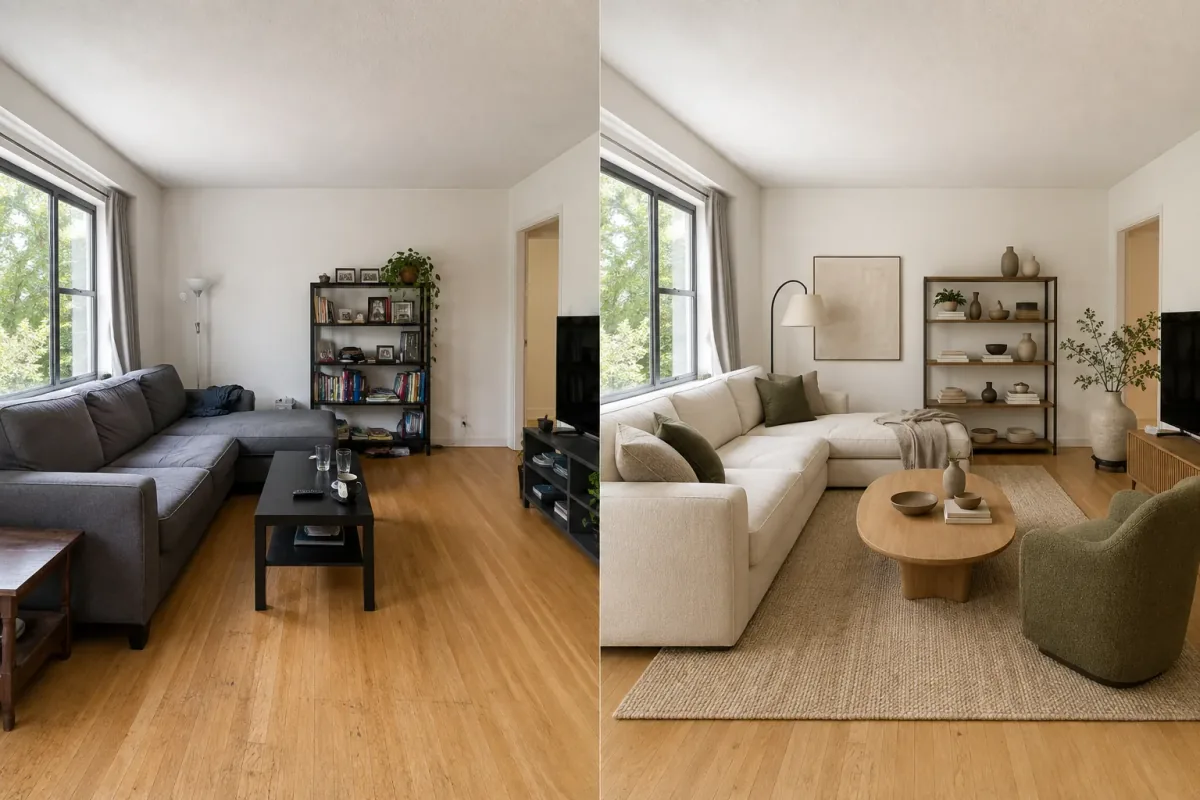
Illustrative room transformationSee the room, explore the possibility.
The short answer
Choose Vizterior when you want to turn a photo of your room into a design direction you can keep improving. Your room, references, concepts, and follow-up edits stay together, so every iteration builds on the last. Interior AI offers more separate modes; Vizterior gives the core room-redesign journey a clearer, more focused home.
Vizterior vs Interior AI at a glance
What matters
Vizterior
Interior AI
Starting point
A room photo, with an optional style-reference image.
Photo-led modes, Freestyle, Sketch2Image, and SketchUp screenshots.
Core workflow
A focused, photo-to-room-concept workspace.
A broader set of separate interior generation modes.
Refining an idea
Use a completed concept as the next base and add a follow-up instruction in the same project.
Premium lists design editing; the public page does not describe the same project-history workflow.
Room structure
Prompts ask the model to preserve layout, openings, perspective, and proportions where possible.
Interior AI says 3D Vision tries to maintain the current room and notes other modes can change construction more.
Broader media
Focused on room images and iterative concepts.
Premium publicly lists virtual staging and AI walkthrough video.
Free start
5 free renders, no card required.
Public pricing begins with paid plans and does not show a comparable free allowance.
Published paid pricing
Plans start at $15/month.
Monthly plans are listed at $49, $99, and $199; annual billing is separate.
01 / Iteration
Choose a project-based workflow when the room is the constant.
Vizterior keeps the room, instruction, concepts, and generation history together. Use a successful result as the base for a focused follow-up such as changing the floor, cabinets, or atmosphere.
The first image becomes the beginning of a design conversation rather than an isolated output.
02 / Focus
Keep the workflow centered on the room you want to change.
Interior AI covers Sketch2Image, SketchUp screenshot rendering, virtual staging, and walkthrough video. That breadth can help when one of those formats is essential.
Vizterior takes a more deliberate route: upload your room, find a direction that fits it, and keep refining the strongest concept.
Designed around your space
Keep the character of your room while exploring what could change.
Vizterior works from the room you already have and asks the model to preserve walls, windows, openings, proportions, and perspective where possible.
Compare styles, colors, materials, and atmosphere, then continue refining the direction that feels right. Confirm exact measurements and product fit before a physical transformation.
A more accessible way to start—and room to keep iterating
Vizterior lets you begin with 5 free renders and no card required. Paid plans start at $15/month.
Interior AI publicly lists monthly plans at $49, $99, and $199, with annual billing shown separately. Its stated design counts and Vizterior credits are different metering systems and should not be treated as equivalent.
Try the Vizterior room workflow first, then choose a paid plan when you are ready for more concepts.
Sources and review date
Comparison reviewed on . Plans and availability may change.
Explore a photo-led concept and keep refining the selected result inside one project.
02
A workflow that remembers
Keep the room, history, and chosen direction together for the next follow-up.
03
An easy first step
Start with 5 free renders and no card required before choosing a plan.
Frequently asked questions
Is Vizterior a free Interior AI alternative?
You can start with 5 free renders and no card required, explore the workflow, and create your first concepts before deciding on a paid plan.
How does Vizterior handle my existing room layout?
Vizterior asks the image model to preserve the room's layout, openings, proportions, and perspective where possible while exploring a new style and atmosphere.
Does Vizterior support SketchUp or sketch-to-render?
Yes. Vizterior accepts an image export or screenshot of a sketch or model view, including SketchUp views. It does not accept native .skp files. Interior AI also offers dedicated Sketch2Image and SketchUp modes.
Which tool is better for revising one room several times?
Vizterior is built to keep those iterations together. Select a completed concept as the new base, add a follow-up, and keep the room's evolution in one project.
Can I compare the two prices per image?
Not reliably: their units meter different workflows. Vizterior lets you begin free with no card and offers paid plans from $15/month.
Why choose Vizterior over Interior AI?
Choose Vizterior for a focused real-room workspace where the starting photo, concepts, and follow-up changes stay connected.
Start with the room you want to change
Upload a room, describe a direction, and keep refining a concept in the same project. Start with 5 free renders—no card required.