
Materials & color
Countertop Visualizer: Compare Finishes in Your Kitchen
Use a countertop visualizer to compare light and dark finishes in your kitchen photo. Keep cabinets fixed, review the results and plan your samples.
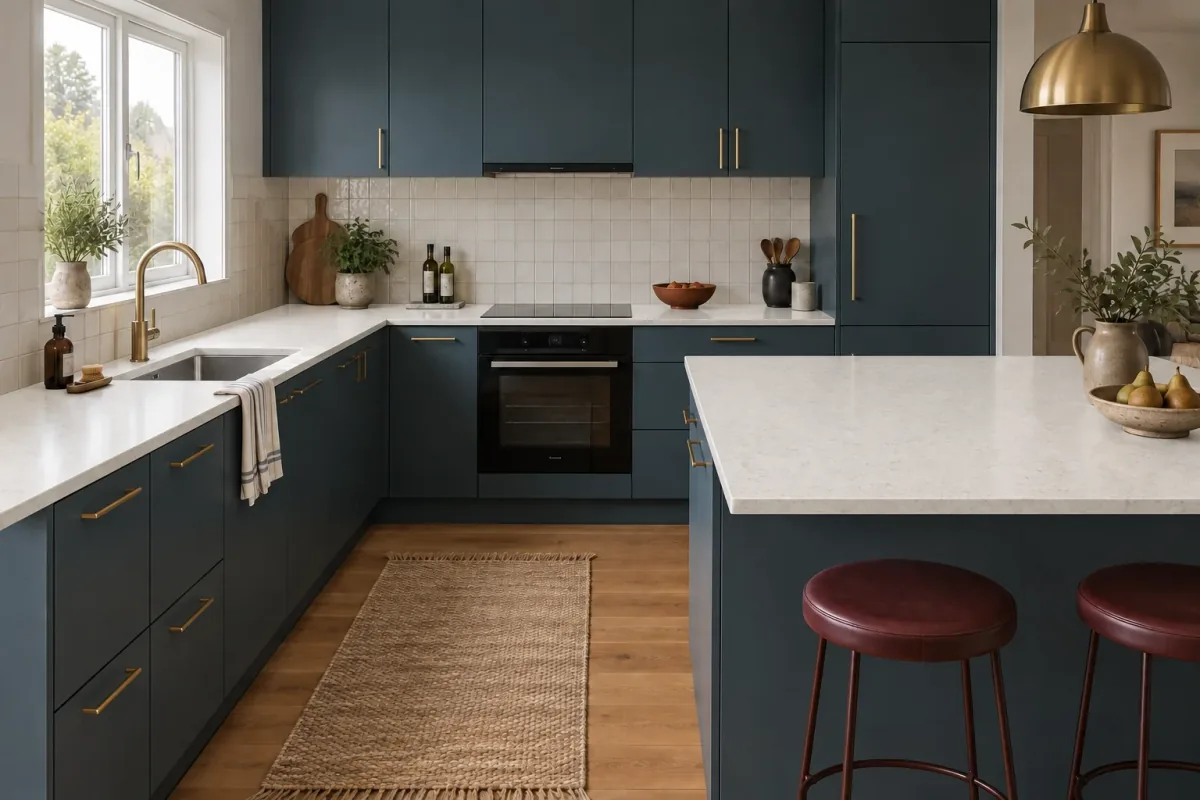
A countertop visualizer lets you explore a new worktop in the context of your kitchen. Start with one clear photo, keep the cabinets and backsplash fixed, and compare two substantially different surface directions. The useful result is a shortlist of looks to investigate in person, with a reason for each choice.
This guide focuses on replacing countertops while retaining the surrounding kitchen. We use one synthetic reference and two independently generated edits: warm white and charcoal. Both show how a surface changes the balance of the room; neither specifies a slab, confirms an edge detail or predicts the installed color.
Choose between a product visualizer and an AI concept
If you already know the manufacturer and are choosing between named designs, begin with its own product visualizer. Cambria, for example, offers a room visualizer for exploring its quartz designs. A catalog-linked tool is useful when the question is which item from that range to investigate. Check the manufacturer’s full design images and samples alongside the preview.
An AI concept is useful earlier, when your question is broader: would a pale, quiet surface or a dark, veined one work better with these cabinets? Describe the appearance you want to explore. A generated stone pattern is not evidence that a particular slab exists, and naming a product in a prompt does not turn the result into a verified representation of it. Manufacturer references are linked at the end.
| Your question | Useful starting point | What remains to check |
|---|---|---|
| Which overall look suits my existing kitchen? | AI concept from your kitchen photo | Real materials, color and feasibility |
| Which named surface from one supplier do I prefer? | Manufacturer’s product visualizer | Physical sample and full design or slab |
| Where should the joints, cutouts and edges go? | Fabricator’s measured layout | Site conditions and final fabrication details |
Photograph the countertop and its neighbors
Take a level view that includes a generous area of the worktop, cabinet fronts, backsplash and floor. A close-up of the counter alone hides the relationships you are trying to judge. In a kitchen with an island or peninsula, include that surface and the rear run in the same frame when possible. Clear away temporary clutter that conceals the edges.
Use ordinary daylight and avoid filters. Keep the fixtures, stools and finishes that will stay. Our reference has blue cabinets, brass hardware, pale square tiles, an oak-toned floor and burgundy stools. Those colors remain the context for both edits. The grey starting counter is a comparison baseline, not a statement about the kitchen’s actual material.
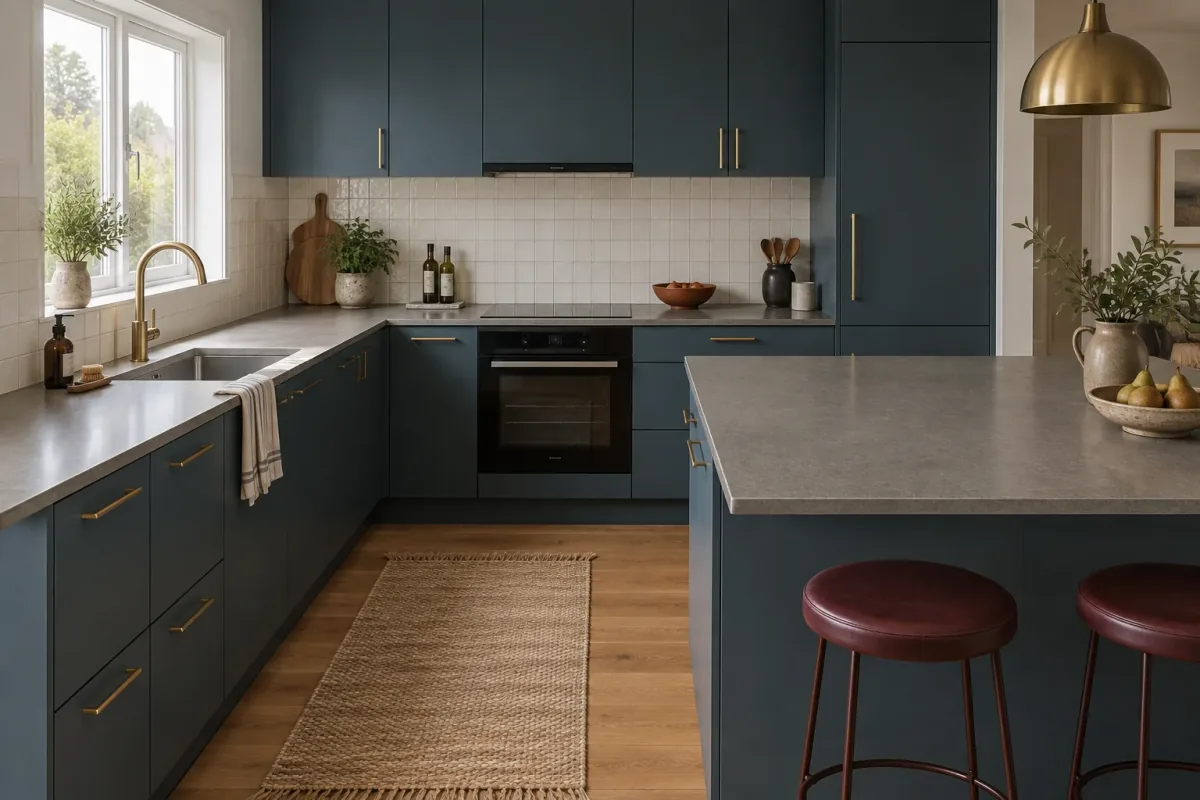
Specify which surfaces change
Name all the horizontal runs that should receive the new finish: the foreground counter, the sink run and the area around the hob. Say whether the backsplash stays tiled. Otherwise a request for a stone kitchen can turn the wall into a matching slab or add a waterfall end that was never part of the brief.
Keep the edge profile and visible footprint in the first comparison. A thicker edge can make a dark surface feel heavier; a new overhang can change how generous the seating area appears. Those are separate design decisions. Ask to preserve the sink and hob openings, then inspect them in the result instead of assuming the instruction locked their geometry.
If the cabinets, counter and backsplash are all open decisions, begin with the complete kitchen palette comparison before narrowing the worktop.
When the backsplash will change later, use the backsplash tile visualizer examples after choosing the counter direction.
Option A: a lighter surface with quiet texture
The warm-white direction separates the countertop from the darker cabinet fronts. The rear run becomes easier to distinguish under the upper cabinets, and the foreground surface reads as a broad pale plane beside the burgundy stools. It also brings the counter closer in tone to the existing backsplash.
The prompt asked for very fine speckling, but the image includes soft, irregular vein-like marks. That is a useful reminder to judge the delivered result. If you want a truly uniform look, make reduced pattern the next request. Do not treat a pleasant interpretation as an exact match to the original brief.
Option B: charcoal with fine pale veins
The charcoal direction makes the counter and blue base cabinets read as a darker group. The pale backsplash and brass fittings become stronger points of contrast. Fine light veins are most visible across the broad foreground surface; they are less prominent on the narrower rear run.
Look at the counter-to-cabinet boundary, not just the stone pattern. If that boundary feels too dark, test a medium charcoal before changing the cabinet color. The comparison will remain useful only while the neighboring materials stay similar. The charcoal output also changes the surface reflections, so the two images should not be read as a measured lighting study.
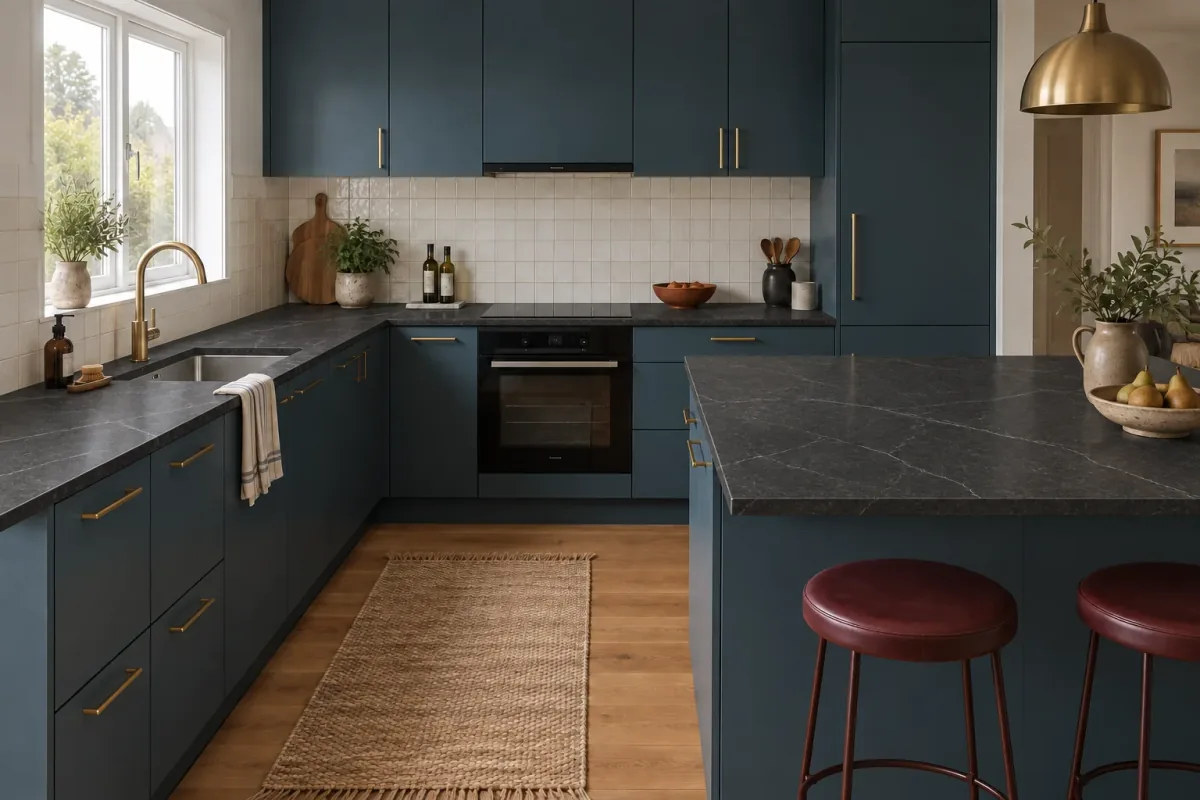
Review the edit before you choose the finish
First check whether the image still answers the same question. Compare the cabinet divisions, window, sink, hob, stools and counter outline against the reference. A new sink shape or wider worktop may make an image more attractive without making its material choice better. Reject or repeat a result when those changes distract from the decision.
Then record one observation and one next action for each option. For warm white: the counter stands out more clearly, so investigate a quieter light surface. For charcoal: the whole base feels darker, so compare a slightly lighter sample against a cabinet door. These are more useful notes than simply marking one image as a favorite.
If the fronts are also part of the renovation, keep your preferred counter fixed and explore the cabinet color comparisons as a separate next step.
| Check | Warm-white direction | Charcoal direction |
|---|---|---|
| Counter and cabinet contrast | Clear pale horizontal band | Lower contrast with blue fronts |
| Pattern to investigate | Quieter texture than the generated marks | Fine veining at full countertop scale |
| Next physical comparison | Sample beside the existing backsplash | Sample beside a cabinet front and floor |
| Still unresolved | Exact product, finish and edge | Exact product, finish and edge |
Turn the preferred image into a material shortlist
Describe the qualities you want before naming a product: warm rather than icy white, subtle rather than broad veining, and a low-sheen rather than mirror-like appearance. Take the reference photo and your preferred concept to a supplier, and explain which surrounding finishes are staying. Ask for suitable real options instead of asking them to reproduce an invented pattern.
View a physical sample beside the cabinet, tile and floor in the room. Also inspect a full design image or the actual slab when relevant. Cambria’s sample guidance notes that a small sample cannot show every characteristic of the installed design. That distinction matters particularly when a pattern has large movements or varied areas.
Have the supplier or fabricator confirm the material’s care requirements, available thicknesses, edge options, joins and cutouts. None of those properties can be established from a generated picture. Once you have narrowed the actual products, a second visual comparison can help with appearance, while the specification stays tied to the supplier’s information.
Countertop visualizer questions
Can I use a photo of my own kitchen?
Yes. Use a clear view that shows the countertops and surrounding fixed finishes. In Vizterior, start with Materials & Finishes or use an image as the base for a focused editing instruction. Compare the output with the original before using it to narrow your choices.
Can AI show a specific quartz or granite design exactly?
No exact match is guaranteed. AI can suggest a color and pattern direction, but may invent veins, joins or reflections. For a named product, consult the manufacturer’s visualization, sample and full design information.
Should the countertop and backsplash change together?
Only if that is the decision you are making. When retaining the backsplash, explicitly keep it unchanged. For a broader renovation palette, use the kitchen visualizer guide linked below and compare coordinated combinations.
How many alternatives should I generate?
Begin with two different answers to your actual question, such as light versus dark. Add another when it resolves a specific uncertainty, such as pattern scale. Generating more unrelated kitchens makes a countertop decision harder to isolate.