
01
Creative direction reviews
Give directors a concise concept and a defined review question instead of a folder of disconnected explorations. Feedback can address composition, mood, material hierarchy, or brand fit before the direction advances.
Loading Vizterior…
Vizterior for design studios
Create a shared visual thread from the first brief through internal critique and client review. Vizterior helps studio teams develop, compare, and discuss directions without losing the question behind each image.

The direct answer
Vizterior gives interior design studios a prompt-led workspace for early visual development. Team members can upload flat room images or sketch exports, frame a design direction in writing, review the first concept, and continue with focused changes inside the project.
The workspace is valuable when a studio needs to make intent visible before committing to detailed representation. It can support a creative lead reviewing a junior designer’s direction, a project team preparing a client workshop, or colleagues testing how a material language might extend across a room type. The goal is not volume for its own sake; it is a more legible design decision.
The useful result is a stronger handoff of intent. Studios can use selected concepts as discussion artifacts, explain why a direction advanced, and bring a more coherent visual premise into the next stage of the established project process.
From source to revision
The sequence below follows one living-room project and shows how a team can preserve the question behind the image while the concept evolves.
Step 1
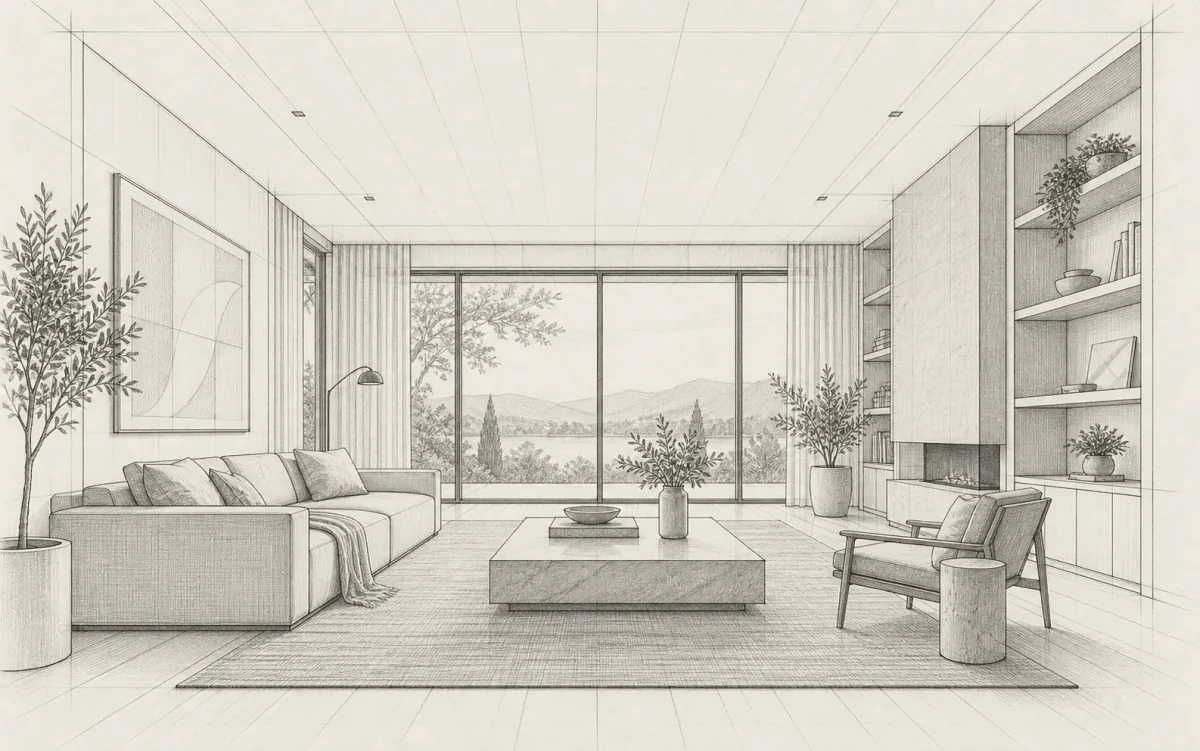
Choose a source view that communicates the living-room composition and annotate the brief in plain language: what is fixed, what is exploratory, and what the reviewer should evaluate. A flat sketch export keeps the visible arrangement in the conversation.
Step 2
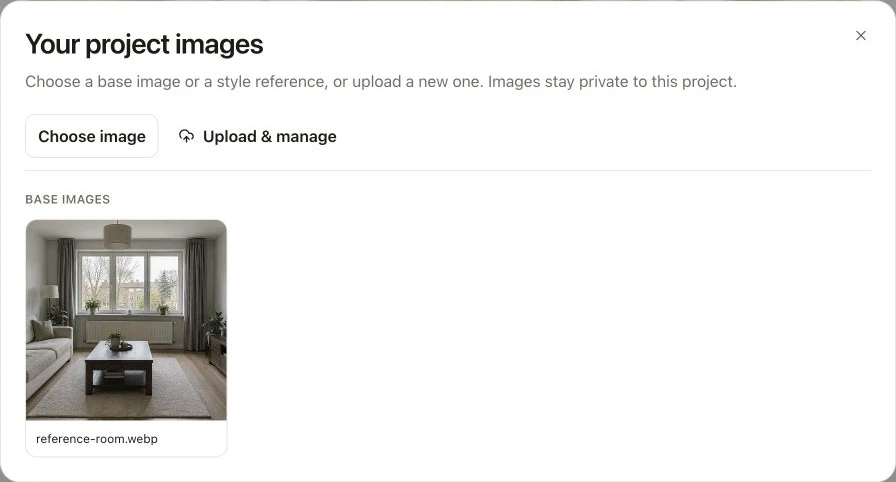
Combine the source with a concise design brief so the first concept has a clear point of view.
Step 3
Record the strongest feedback as a focused follow-up and inspect the revised concept as a team. Confirm whether the intended issue changed, note any unintended drift, and decide whether the direction is ready for client framing or another round.

Inside Vizterior
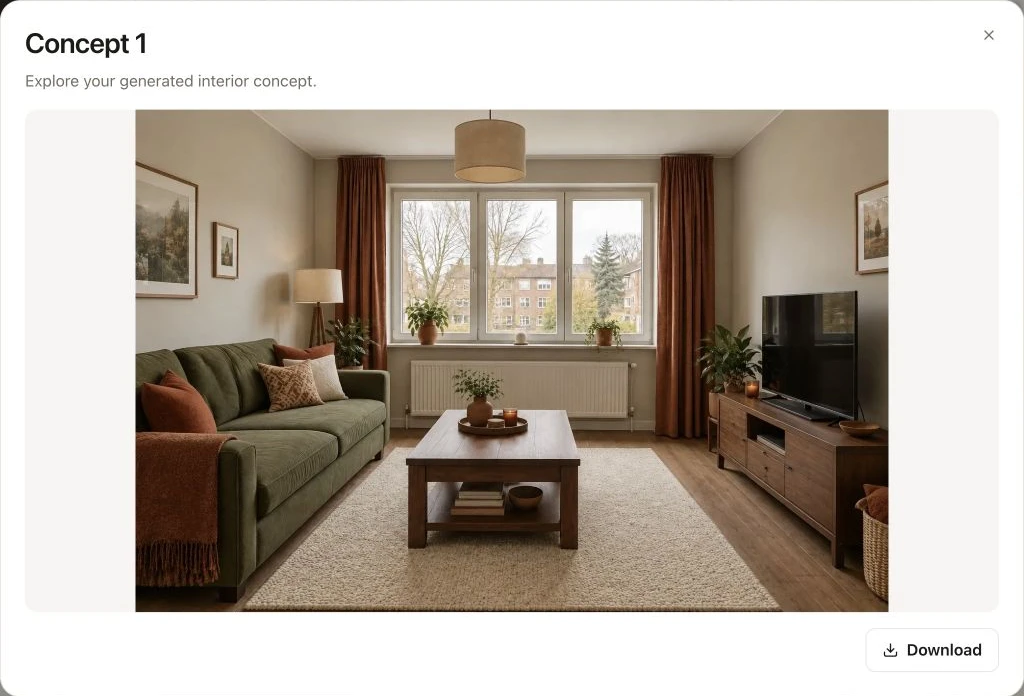
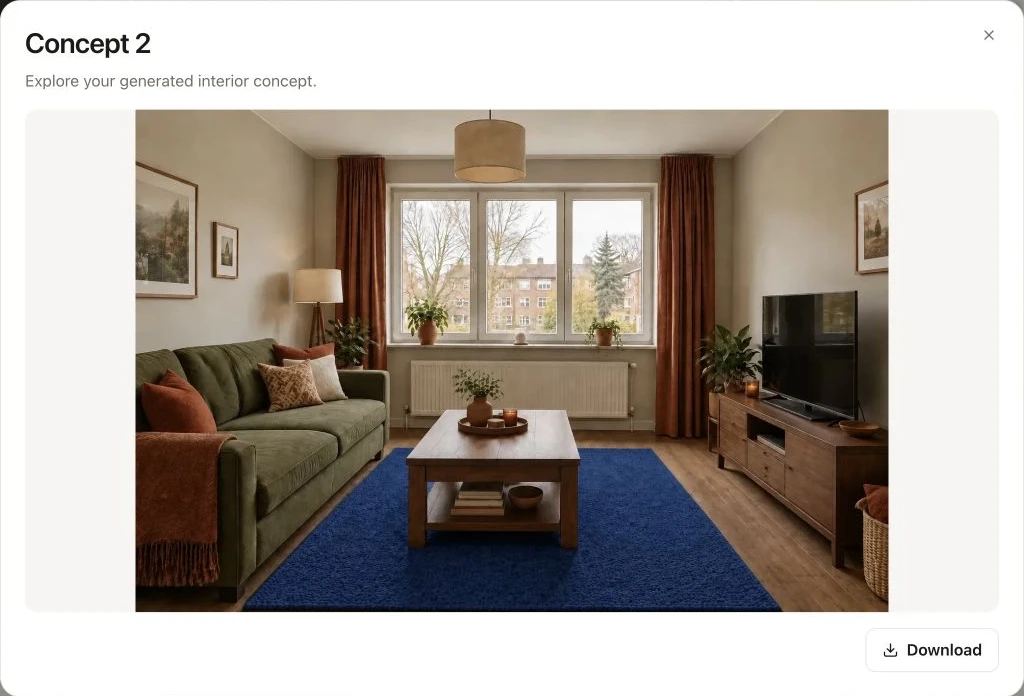
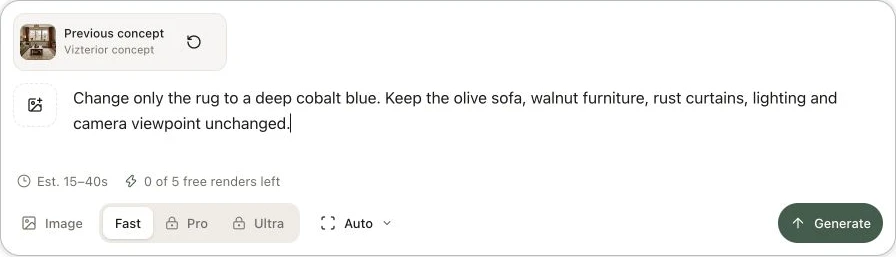
Here is the process in a living room project: open a completed concept, use it as your base and describe the next adjustment. In this example, the next instruction asks for a cobalt rug while keeping the olive sofa and walnut furniture.
Practical applications
The same visual workspace can support different roles, provided the project team is explicit about what the image is meant to decide.
01
Give directors a concise concept and a defined review question instead of a folder of disconnected explorations. Feedback can address composition, mood, material hierarchy, or brand fit before the direction advances.
02
Develop a small, intentional set of directions that can anchor a workshop conversation. Each option should represent a real design choice, with clear notes about what is conceptual and what still requires technical resolution.
03
Explore how an agreed palette or atmosphere could translate between reception, lounge, meeting, or residential spaces. Use the images to test visual coherence, not to claim identical geometry or automatic multi-view consistency.
04
Keep the brief, selected direction, and next requested change together so another designer can understand the design logic. The project becomes a clearer record of intent, while formal approvals remain in the studio’s existing process.
What it streamlines
The improvement is not simply more images. It is a tighter relationship between the brief, the selected direction, the critique, and the next visual response.
Fragmented approach
Individual image explorations can lose the constraints and rationale that made them relevant to the project.
With Vizterior
Keep the source view, written intent, and follow-up request connected so collaborators can evaluate the same question.
Fragmented approach
A broad critique can produce many comments without establishing which visual decision should happen first.
With Vizterior
Convert the priority comment into a focused revision, then review whether that specific issue improved.
Fragmented approach
References communicate atmosphere but may not reveal how that language could read in the room being discussed.
With Vizterior
Use the actual room view or a sketch export as context for an exploratory, situated concept.
Fragmented approach
A highly finished image can consume attention before the team has agreed on the underlying design direction.
With Vizterior
Use concept imagery as a deliberate checkpoint before investing in the studio’s detailed visualization and delivery pipeline.
Vizterior is not a studio management system, BIM or CAD environment, rendering guarantee, specification database, or approval record. Design leadership, quality control, geometry, documentation, commercial decisions, and client authorization remain with the studio and its established tools.
Continue by room
These room-focused guides can help teams shape a useful brief for the immediate design question, while keeping final decisions in the studio’s normal workflow.
Establish a visual language for an early project conversation before splitting the work into room-level packages.
Plan an interior conceptExplore the visible relationship between surfaces, fittings, storage, and lighting mood before measured detailing and specification.
Explore bathroom conceptsTest a calm, professional atmosphere for residential workspaces while keeping ergonomic and technical checks in the delivery process.
Explore home-office conceptsCommon questions
A Vizterior project can provide a common visual thread for discussion: source image, brief, selected concept, and follow-up direction. Your studio should still use its normal collaboration and approval systems for ownership, sign-off, version governance, and project records.
Do not treat it as a native model integration. Sketches, views, and screenshots exported from professional tools are handled as flat images; their layers, objects, dimensions, and data are not imported. Technical development should continue in the source CAD or BIM environment.
Concept imagery can support a workshop when it is presented with a clear purpose and appropriate labeling. Explain that it is AI-created and exploratory, define what the client is being asked to assess, and avoid implying that visible products, dimensions, or construction details have been confirmed.
Write down the non-negotiable visual principles, keep the source view clear, and review every output against those criteria. Ask for one focused change at a time when possible. AI imagery may still drift, so a human review remains necessary at every iteration.
It is positioned here as an early concept and communication tool, not a replacement for a studio’s final visualization pipeline. Use the approved direction as input to the appropriate modeling, rendering, post-production, specification, and quality-control work required by the commission.
Review whether the image answers the brief, whether hierarchy and material language feel intentional, and whether key spatial cues remain recognizable. Also inspect the full frame for invented details, visual inconsistencies, or apparent solutions that have not been technically validated.
Related audiences
Bring a room view or sketch, define the design question, and develop a concept your team can discuss with greater precision.