We use analytics cookies to understand traffic and improve Vizterior. They load only if you accept—declining won't limit the site in any way. See our Privacy Policy.
Choose a result you like and tell Vizterior what to adjust. Explore a warmer wall, a bolder rug or softer curtains without starting the brief from scratch.
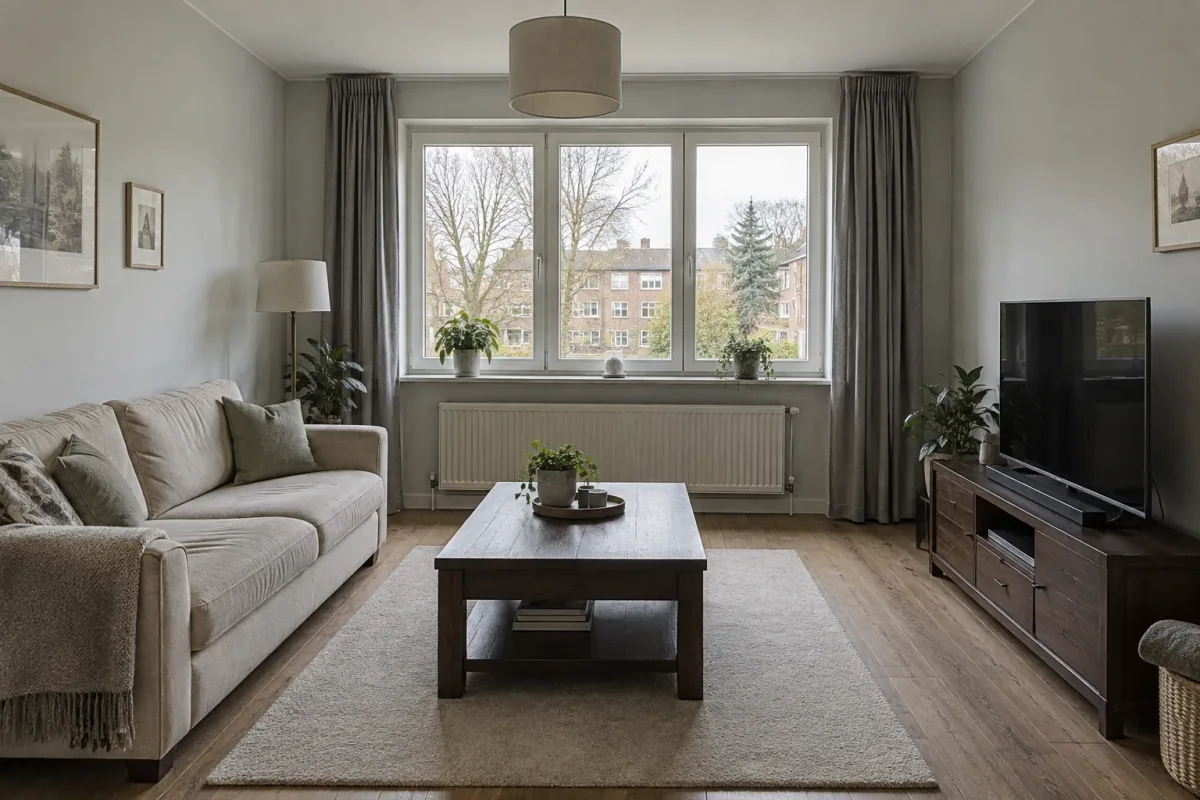
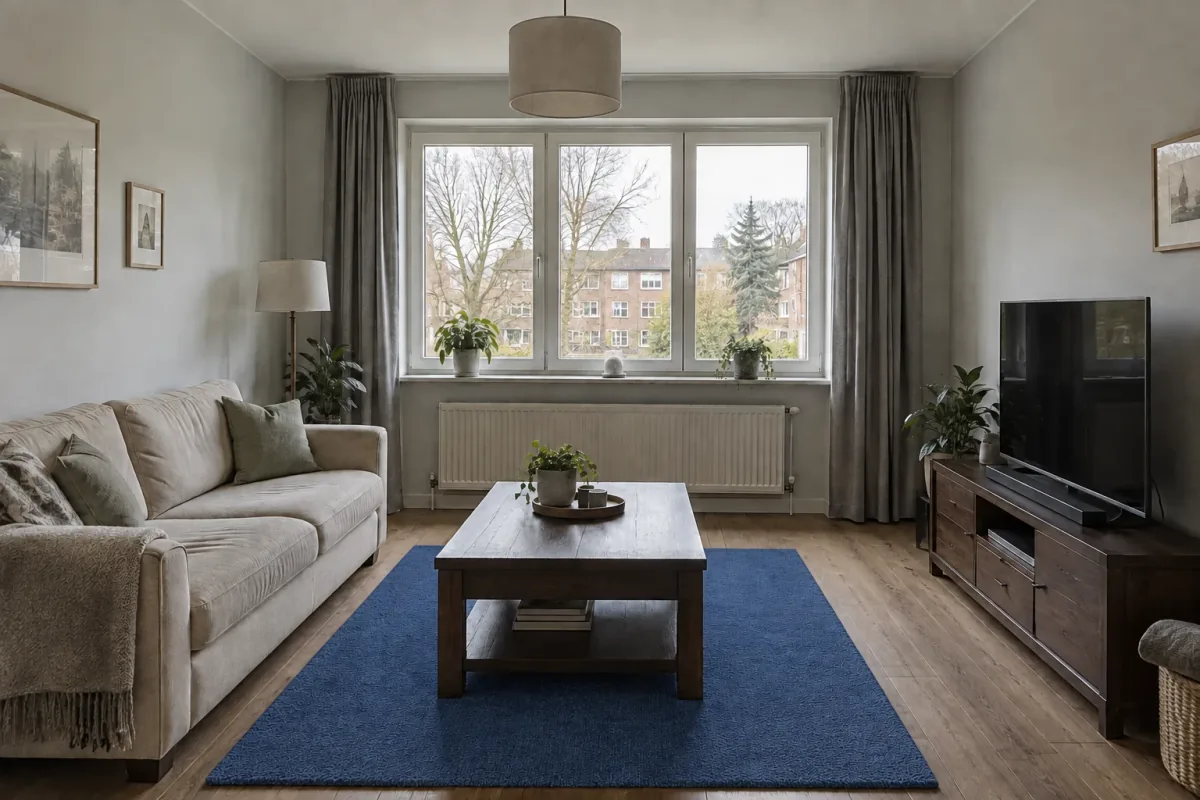
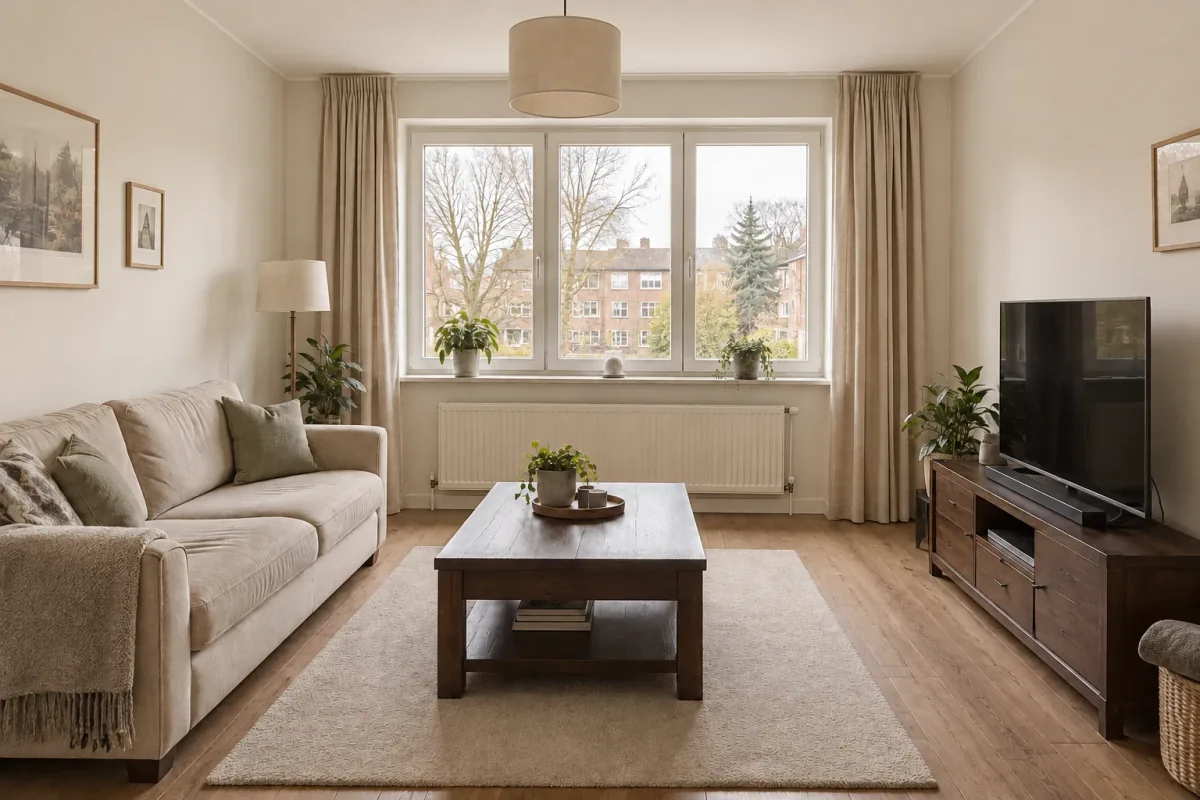
The starting imageA cobalt rug changes the emphasis
01 / Small instructions, visible differences
Give the next version one clear job.
When a room concept is nearly there, a broad redesign request can undo the parts you like. A more focused instruction gives the next version a specific question to answer: is the room better with a warmer wall, a darker rug or a different curtain color?
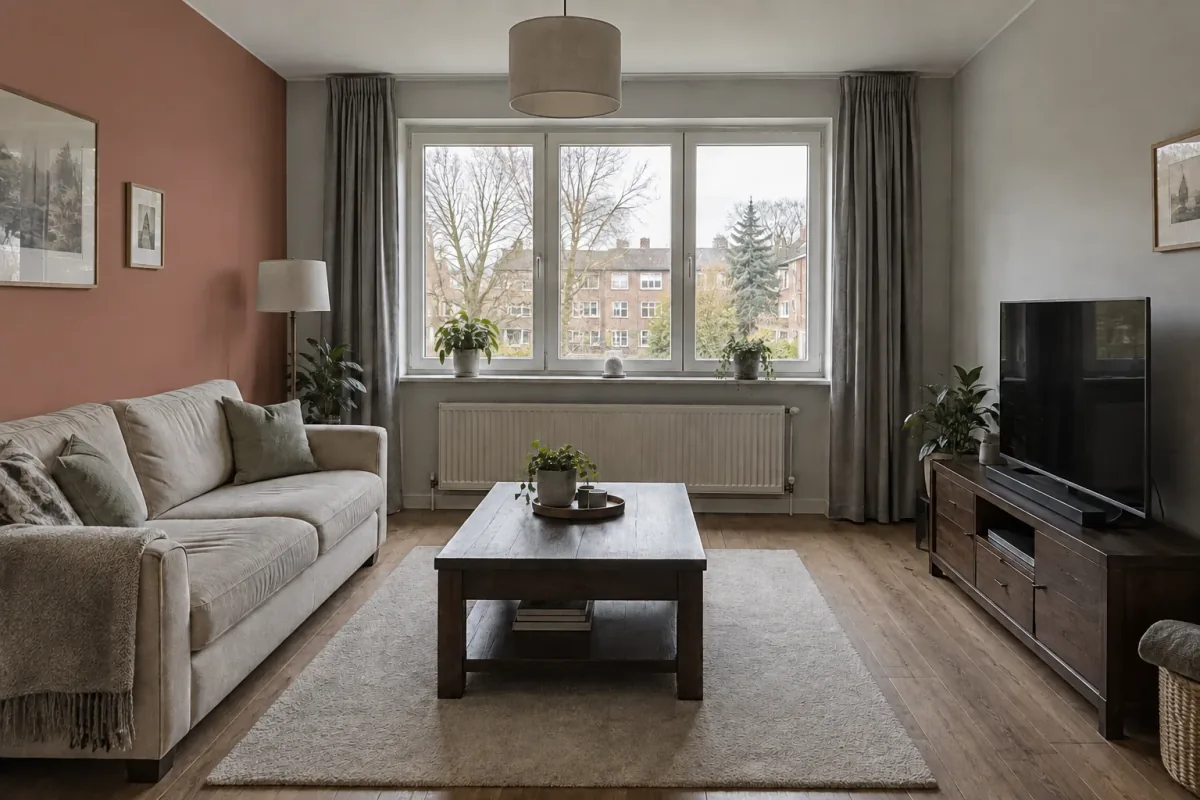
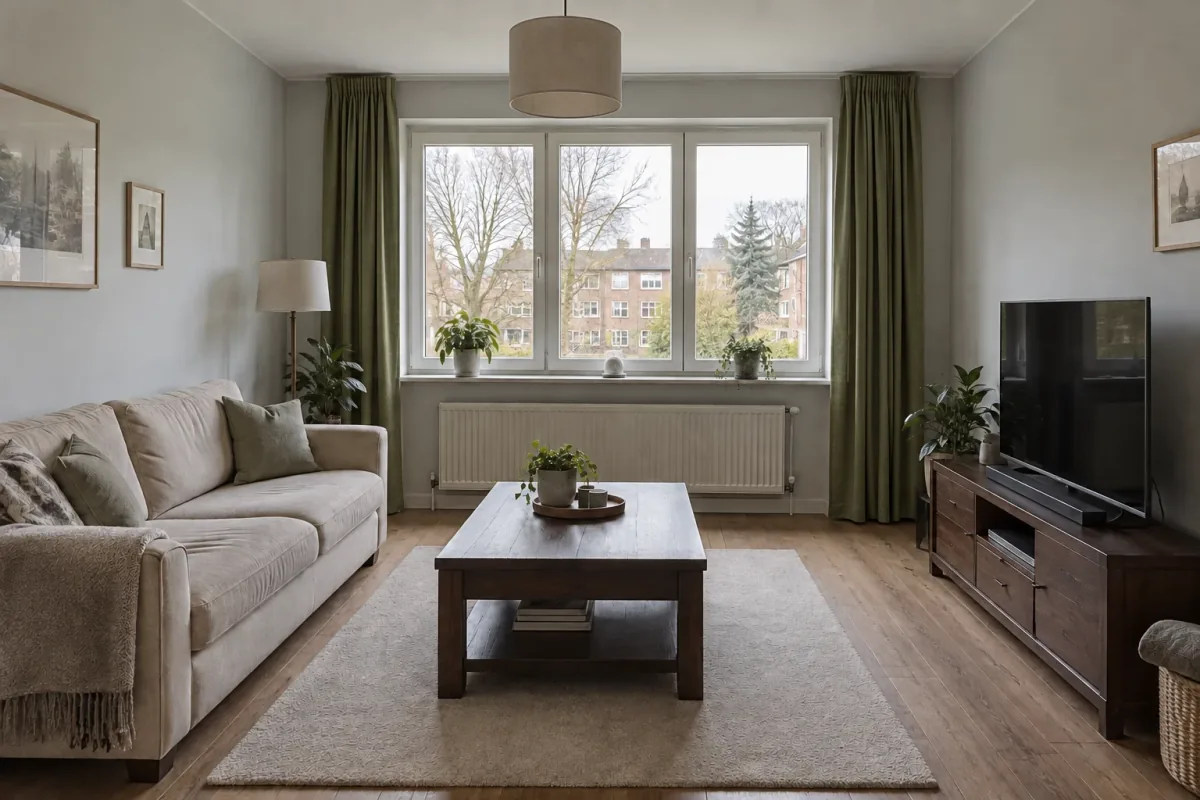
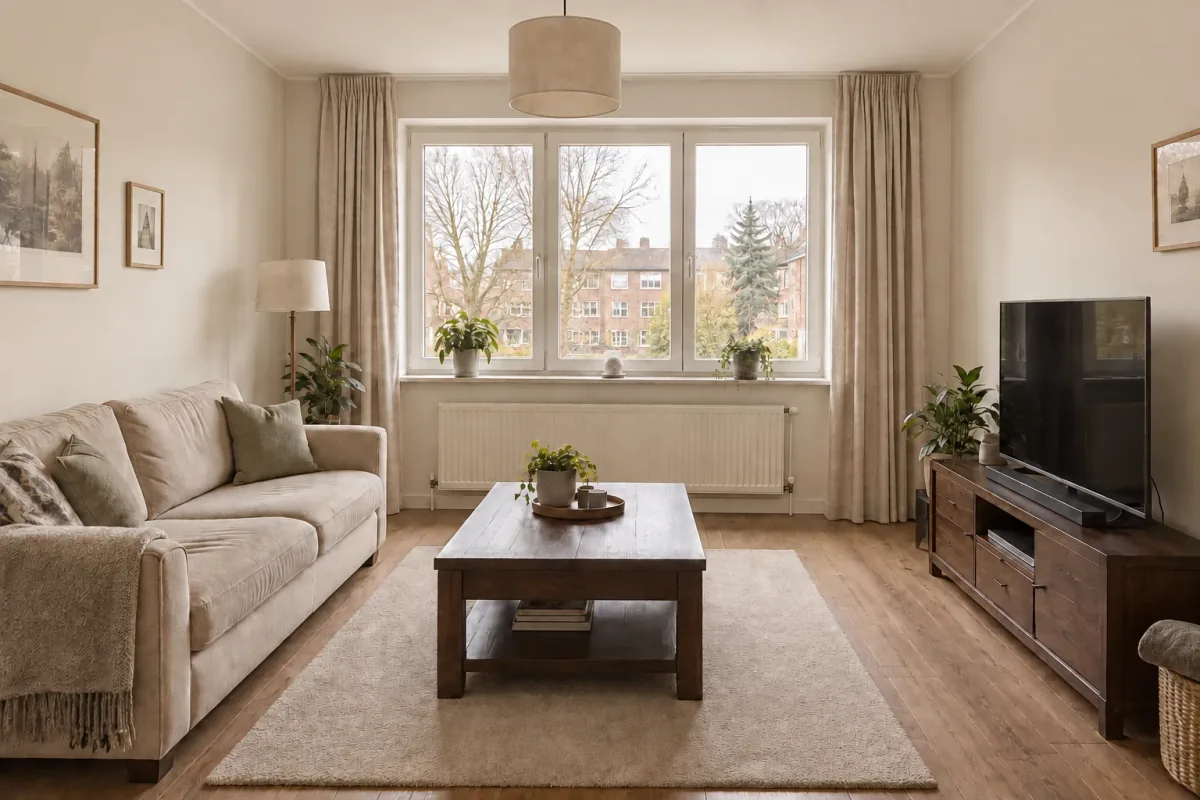
These three examples are separate edits from the same starting image above. They are not a sequence where each change builds on the last. Comparing them with that shared base makes the effect of each instruction easier to see.
Change the wall behind the sofa to muted terracotta.Change the rug to cobalt blue.Change the curtains to olive green linen.
02 / Choose your starting result
Continue from the version you actually like.
Inside a project, choose a successful result and use it as the base for a follow-up. This matters when the latest image is not your favorite. You can develop an earlier direction instead of piling more instructions onto an option you no longer want.
Before submitting the next instruction, check the selected base image. A useful prompt applied to the wrong version can create an unwanted comparison. The project history helps you keep the instruction and the resulting image together.
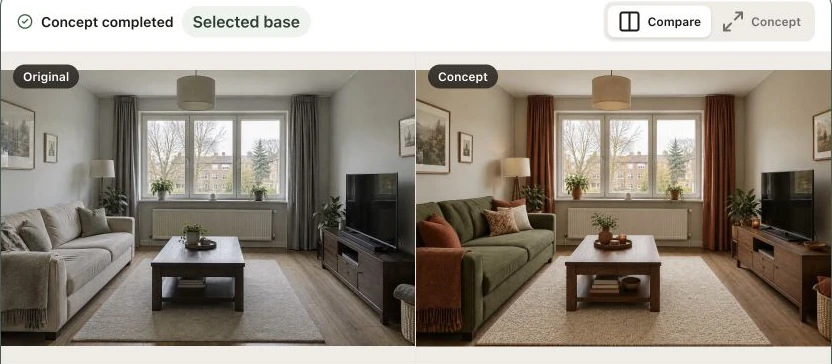
Select a concept and compare it with the original room
In this series, the room photo becomes a warmer concept with softer walls and linen curtains. The next result starts from that concept and changes the curtains toward oatmeal. Each stage has a different role: source, broader direction, then a focused adjustment.
Look at the window, furniture and surrounding surfaces as well as the curtains. A change can be visually useful while also introducing differences you did not request. Keep the earlier image available so you can decide which result is the better base for the next step.
A practical edit instruction names the element, describes the desired result and identifies the important parts to retain. This structure is useful even when the change feels obvious to you: the model still needs to interpret which part of the image you mean.
Start with one change when you are comparing alternatives. If you want to adjust several related finishes, explain the relationship between them. Avoid contradictory requests, such as making the room much darker while keeping all lighting exactly the same.
Name the element instead of saying ‘this part’.
Describe a visible outcome, such as a color or material.
Check the selected base and the rest of the result.
An instruction you can adapt
Change only the curtains to olive green linen, retaining their length and position. Keep the sofa, rug, wall colors, window, radiator and camera viewpoint as consistent as possible.
Choose the right next move
A focused edit or a new design direction?
Use an instruction when the overall concept works and you want to adjust a specific element. Use a separate style reference when a new inspiration image should guide the palette and material mood. Start another redesign from the room photo when you want to explore a substantially different option.
Edits create new generated results rather than deterministic changes to individual pixels. Keep this in mind when reviewing fine details. You can develop an image for a design conversation, then verify actual furniture, finishes and measurements separately.
Refine a result for a smaller visible change.
Match a style when a reference should guide the mood.
Return to the original room for a fresh alternative.
Good to know
A few questions before you start.
What image am I editing?+
A follow-up generation uses the successful result you select as its base. Check that preview before submitting the instruction. A new room redesign starts from a room photo instead.
Can I change just one object?+
You can ask for a focused change to a named object or surface. AI may still alter other details, so review the whole image and compare it with the selected base.
Can I go back to an earlier version?+
You can revisit the project history and select an earlier successful result to continue from. This is different from undoing a pixel edit: the next instruction produces a new image.
Does an edit use credits or a free render?+
A follow-up is another generation. Check the current cost and available balance shown in the app before submitting it. The account’s plan and generation settings determine what is available.
Do I need to upload a reference for every change?+
No. A focused written instruction can guide a follow-up from a selected result. A separate reference is useful when you want to transfer a broader style direction.
What should I do when too much changes?+
Return to a useful earlier result, narrow the instruction and identify what should remain. Review architectural features and surrounding objects as well as the requested change. Exact preservation is not guaranteed.