
01
Find a coherent room direction
Bring together color, material, furniture mood, and lighting atmosphere in one image. Use it to identify a clear direction instead of buying attractive items that do not work as a whole.
Loading Vizterior…
Vizterior for homeowners
Upload a room photo, describe how you want the space to feel, and explore an AI-created concept you can react to. Vizterior helps you clarify preferences, compare a focused change, and prepare a stronger conversation with the people helping you deliver it.
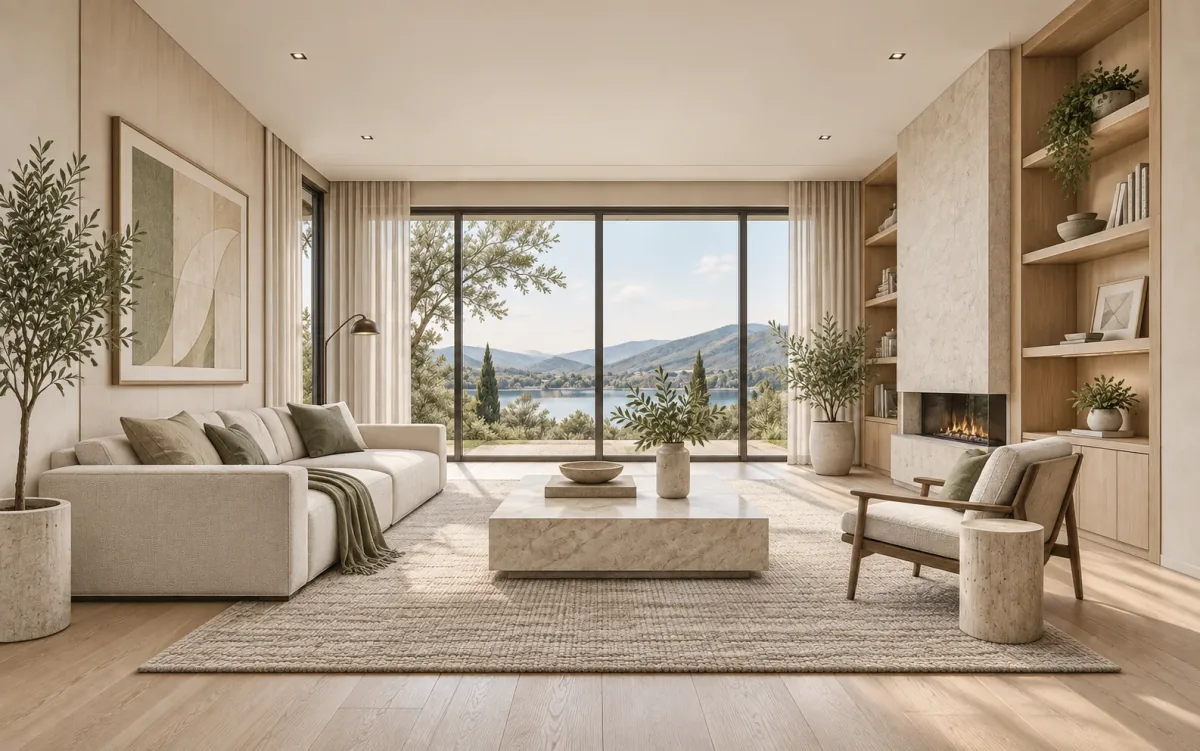
The direct answer
Vizterior lets you use a photograph or flat sketch of your room as the starting point for an interior concept. Describe the atmosphere, colors, materials, and important features you want to keep recognizable. After the first result, continue the conversation with a focused request rather than beginning from scratch.
The tool is helpful when you know the current room is not working but cannot yet explain why, when several inspiration images point in different directions, or when you want to prepare a clearer brief for an interior designer, kitchen specialist, or renovation professional. Seeing an idea in context can reveal preferences that are hard to express with words alone.
The selected image can become a practical brief: a way to explain the atmosphere you want, the visible elements you value, and the questions you still need to answer. That makes conversations with a designer, supplier, or contractor more focused from the start.
From source to revision
This example follows the same project through three stages. You do not need professional design language—describe the goal clearly, react to what you see, and refine one choice at a time.
Step 1
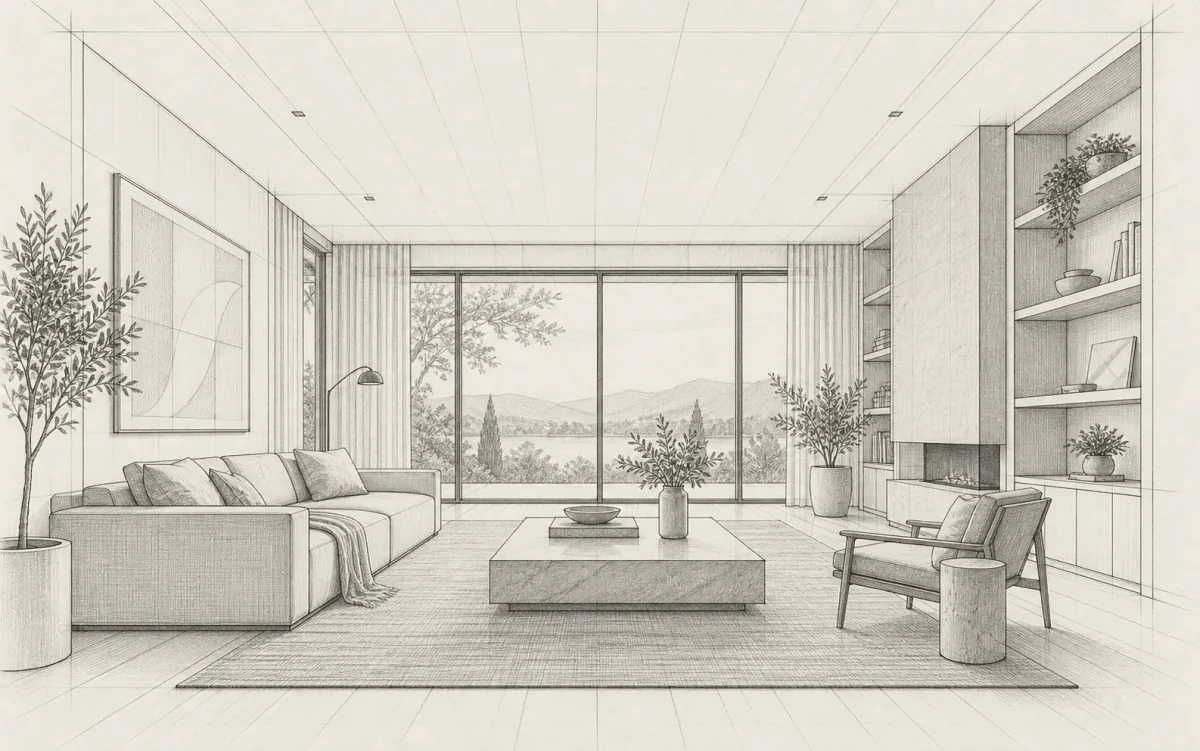
Upload a clear room photo or a readable sketch image. Mention the visible elements that should stay recognizable and the problem you want to solve so the first concept has a clear purpose.
Step 2
Explain the feeling, materials, colors, and room use in ordinary language. Keep the first request focused enough to evaluate.
Step 3
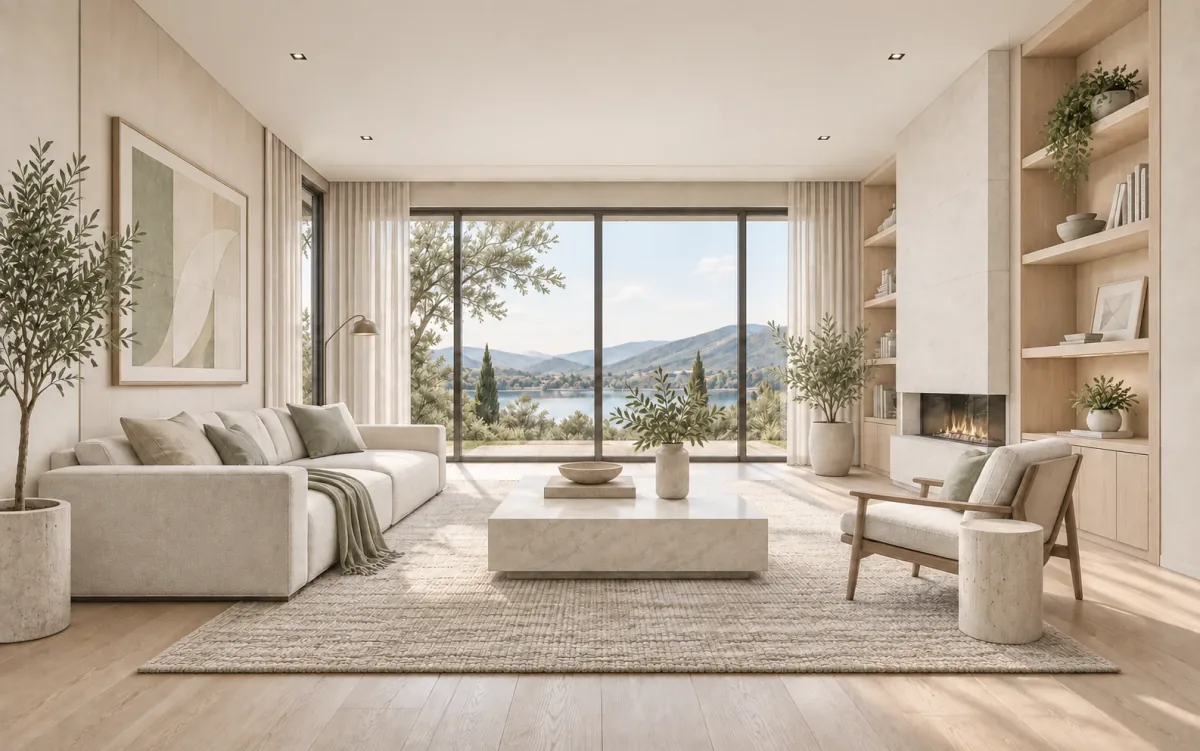
Choose the most useful idea and ask for one change, such as a lighter palette or less bulky furniture. Compare the whole image after each revision and note which choices make the direction feel more coherent.
Inside Vizterior
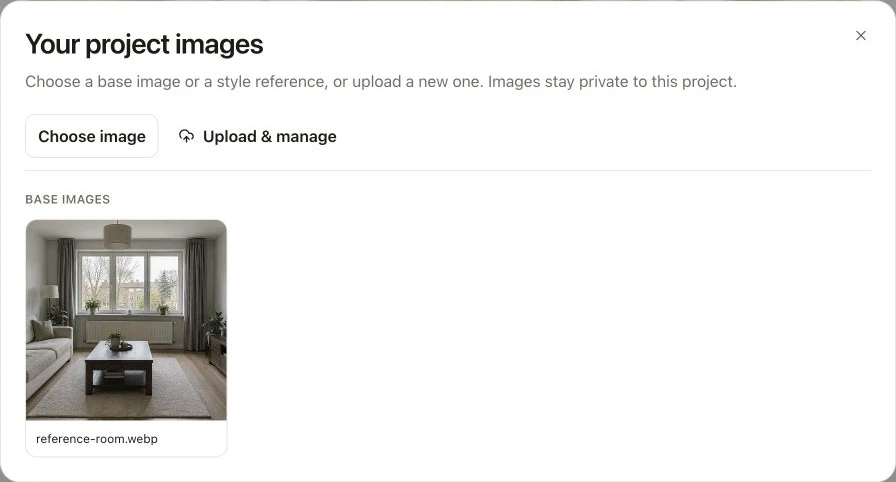
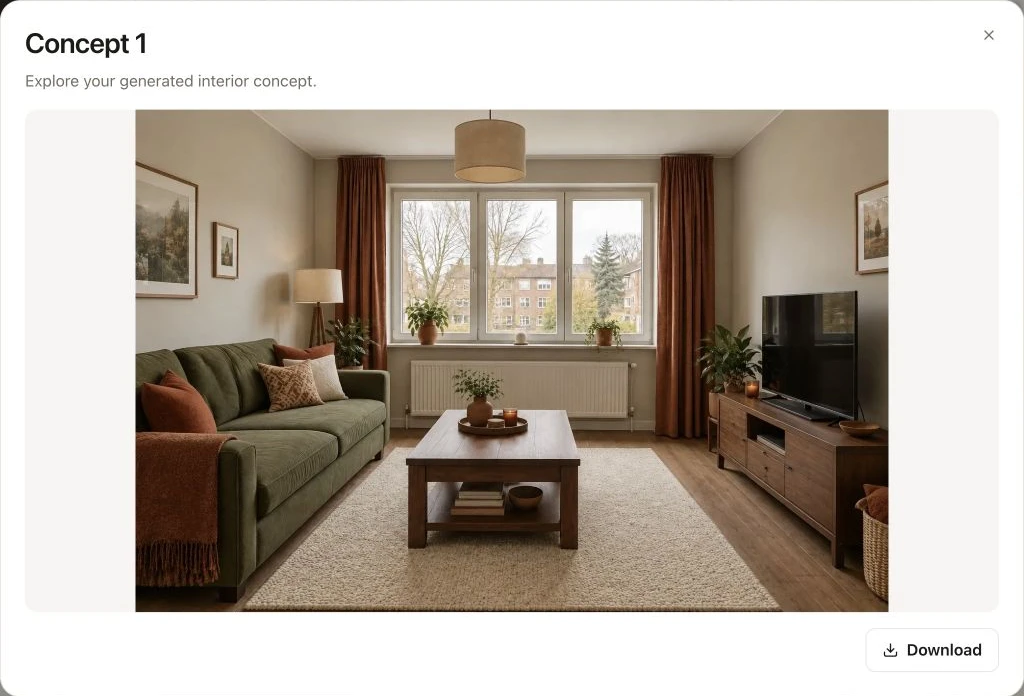
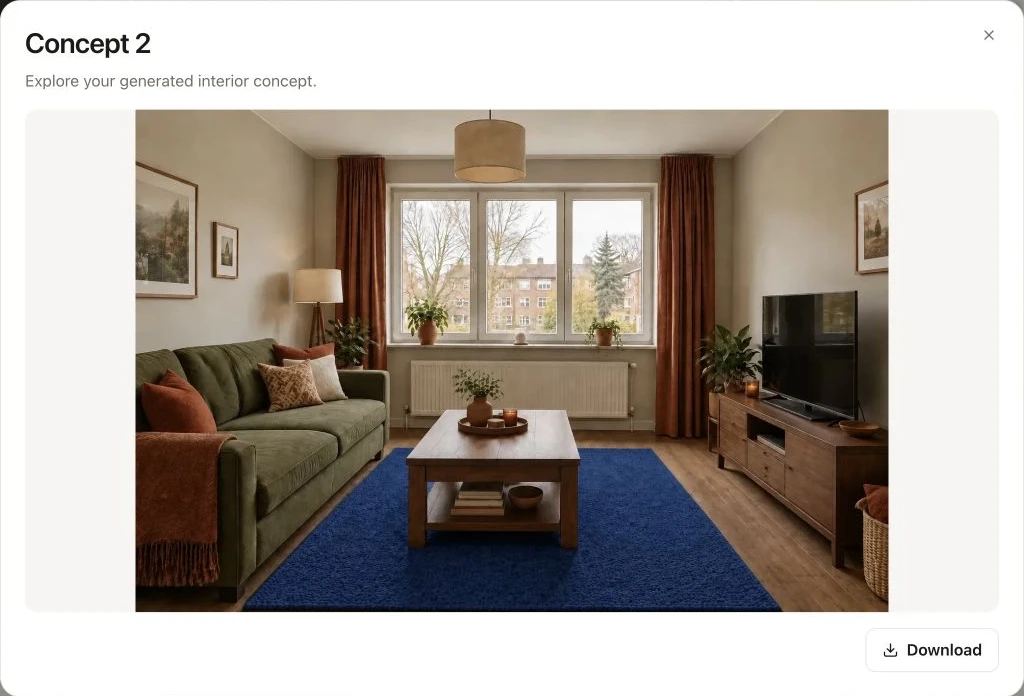
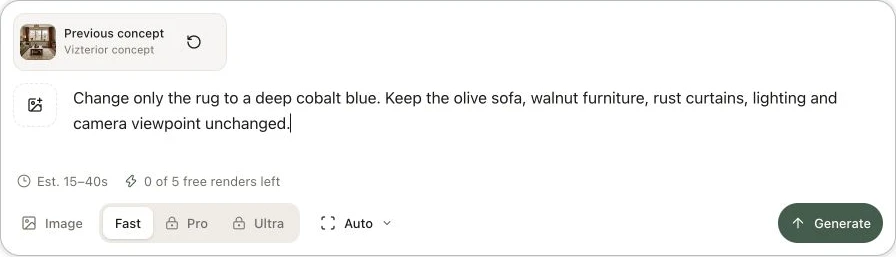
Here is the process in a living room project: open a completed concept, use it as your base and describe the next adjustment. In this example, the next instruction asks for a cobalt rug while keeping the olive sofa and walnut furniture.
Practical applications
You do not need dozens of styles. A few purposeful explorations can help you understand what you like and what needs to be checked next.
01
Bring together color, material, furniture mood, and lighting atmosphere in one image. Use it to identify a clear direction instead of buying attractive items that do not work as a whole.
02
See how a warmer wall color, lighter timber, quieter rug, or more restrained styling affects the room. Change one relationship at a time so you can understand what actually improved the concept.
03
Use a selected concept to explain atmosphere and priorities to a designer or contractor. Invite them to challenge it with measurements, practical constraints, product knowledge, safety considerations, and a realistic project plan.
04
Replace an abstract style debate with a visible option and a specific question. Record what everyone agrees on, what remains uncertain, and which decisions require samples, measurements, or expert input.
What it streamlines
Vizterior can help organize visual preferences. The next step is to verify the parts of the concept that affect money, fit, safety, and construction.
Fragmented approach
Beautiful reference images may not reveal which parts of the look actually matter to you or suit your space.
With Vizterior
Use your room photo and a focused brief to explore the atmosphere in more relevant visual context.
Fragmented approach
A broad reaction makes it difficult to know whether color, contrast, furniture, or visual clutter is the issue.
With Vizterior
Ask for one adjustment, compare the revision, and use the difference to name your preference more clearly.
Fragmented approach
Buying individual items before the room has a coherent idea can create expensive conflicts in scale, color, and function.
With Vizterior
Use the concept to define a direction, then measure and verify every real product before purchasing.
Fragmented approach
A convincing image can make an untested layout or product combination appear resolved.
With Vizterior
Turn the image into a checklist of questions for measurements, samples, suppliers, designers, and contractors.
Vizterior does not replace an interior designer, architect, engineer, contractor, electrician, plumber, kitchen specialist, measured plan, product research, budget, or safety and code checks. Never order or build from an AI-created image without verifying the real conditions and details.
Continue by room
Each guide helps you describe a useful visual direction and understand which decisions still need real-world verification.
Explore seating mood, color, texture, and focal balance before measuring and shopping for real furniture.
Explore living-room ideasDevelop a calmer bedroom atmosphere while keeping storage, circulation, lighting, and product fit on your practical checklist.
Explore bedroom ideasVisualize a focused workspace direction, then verify ergonomics, daylight, power, storage, and desk dimensions separately.
Explore home-office ideasCommon questions
No. Start with simple information: how the room is used, how you want it to feel, colors or materials you like, and visible elements you want to keep recognizable. Review the result critically and use follow-ups to clarify one preference at a time.
No. Furniture in an AI-created image may appear plausible without being correctly scaled. Measure the room, doors, access routes, and furniture; check manufacturer dimensions; and confirm circulation before ordering. The image is for visual direction, not fit verification.
A clear, well-lit phone photo can provide useful visual context. Try to show the important walls, openings, and main furniture without extreme lens distortion. The photo still does not give the system reliable dimensions, so measure separately before making practical decisions.
AI image generation can alter details beyond the requested change. Compare the entire revision with the source and previous concept, not only the area you mentioned. Restate important features to keep, make smaller requests, and reject an image when the drift makes it misleading.
Do not assume visible products are real, available, correctly sized, or suitable for your home. Use the concept to identify a material or furniture direction, then research actual products, order samples where appropriate, and confirm dimensions, maintenance, safety, availability, and total cost.
Seek qualified help whenever the project involves layout changes, services, structure, built-in work, regulations, substantial spending, or decisions you cannot verify confidently. A concept can help you explain what you want, but professional advice should shape what is safe, feasible, and properly documented.
Related audiences
Upload a room photo, describe one direction, and use the concept to learn what you like—and what you need to verify next.