
Materials & color
How to Change Wall Color in a Room Photo with AI
Choose the walls, describe the new paint direction and compare it in your own room—then confirm the color with a physical sample before painting.
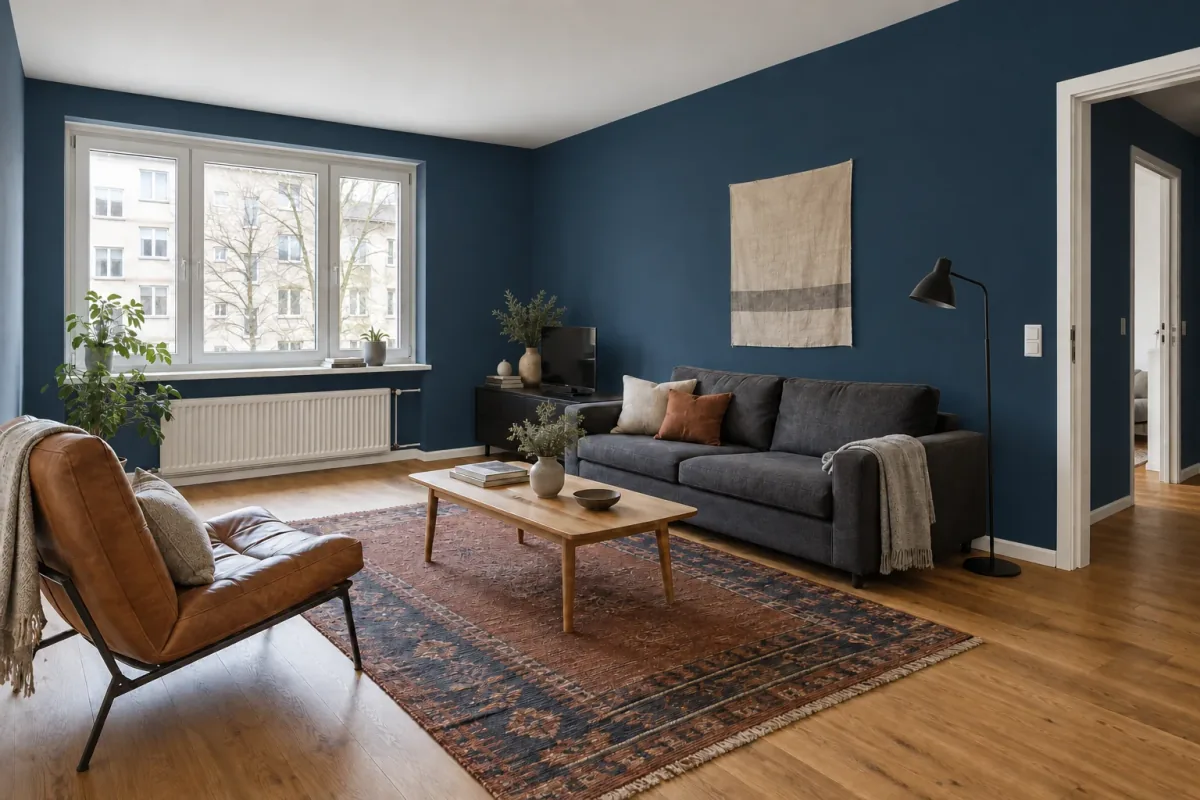
To change wall color in a room photo with AI, upload a clear image, identify exactly which wall surfaces should change, name the color direction and finish, and list what should remain consistent. Generate each main option from the same source photo, then compare the result with the original before refining your preferred direction.
The image is a decision aid, not a paint match. Camera exposure, screen settings, daylight and the generation itself can all shift the appearance of a color. Use AI to decide whether you want a soft green, warm clay or deep blue relationship in the room; use physical paint samples to choose the actual product and finish.
1. Choose a photo that shows color and light
Use a level, uncropped room view with a generous area of the walls you want to repaint. Include the window if possible, because its position helps you understand why the same color looks lighter on one plane and deeper on another. Keep important neighboring materials in the frame: flooring, sofa fabric, curtains, timber and a large rug all affect whether a wall color feels balanced.
Photograph in ordinary daylight with a neutral exposure. Avoid a blown-out window, a very dark room or strong colored bulbs. Automatic phone processing can still alter white balance, so the photo cannot become a color-calibration device. Its job is to preserve the room relationships well enough for a useful visual comparison.
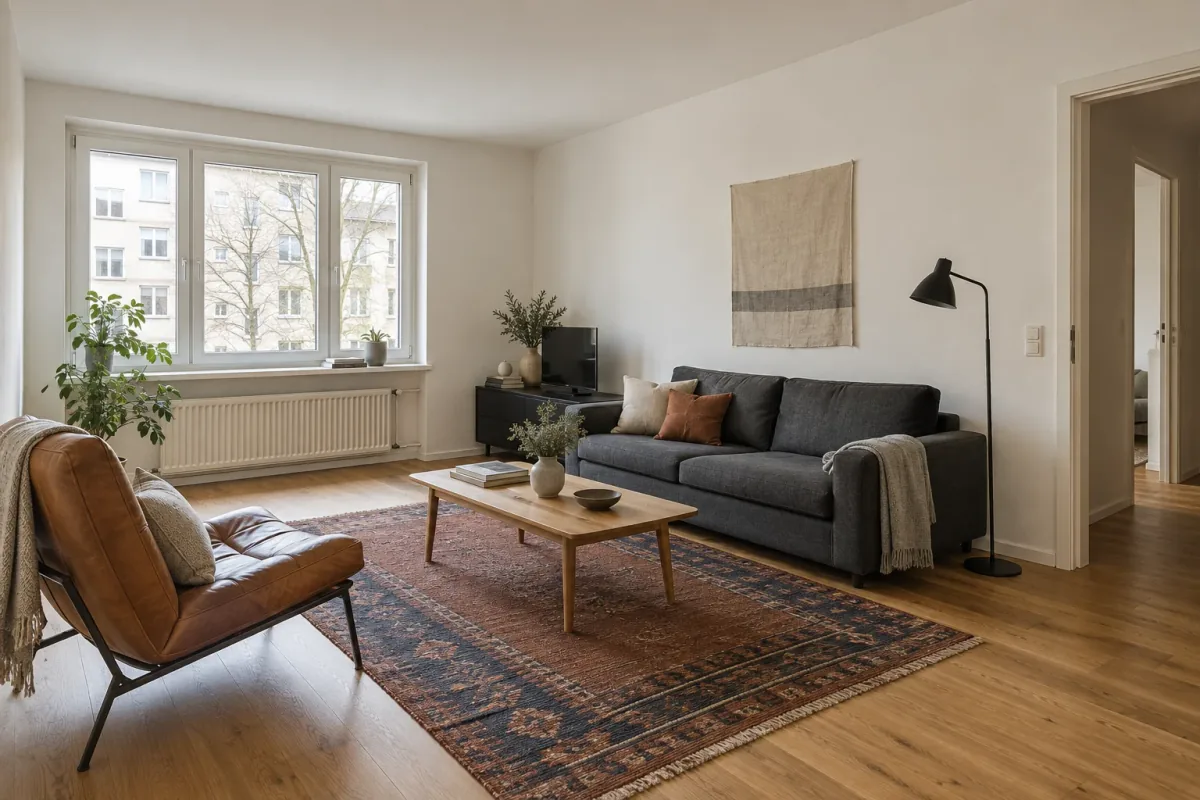
Remove temporary objects that hide large wall areas, but keep the furniture and finishes that will remain after painting. The source below includes a charcoal sofa, cognac chair, rust-and-navy rug, pale oak table, white trim and warm-white walls. These fixed elements make the three paint directions comparable.
2. Name the wall surfaces—and the boundaries
“Make the walls green” leaves several decisions open. Specify whether you mean every visible painted wall, only the wall behind the sofa or the wall above a dado. Then name the boundaries that should not receive paint: ceiling, coving, skirting boards, window frame, door trim, radiator and switches. This is especially important when the existing walls and trim are similar colors.
Describe surfaces by location and a visible landmark. “The long wall behind the sofa” is clearer than “the right wall” if image orientation could be ambiguous. For a whole-room comparison, state that the same color should continue around the window and onto the adjoining visible wall planes. If you want one feature wall, explicitly ask to keep the other walls at their original color.
List the rest of the scene as unchanged: furniture, artwork, textiles, floor, camera and daylight. This guides the edit, but it does not lock pixels. Always compare the generated result with the source and record any unrequested differences before judging the paint.
The useful instruction order
Move from the requested change to the constraints.
- Change: repaint all visible painted walls.
- Color direction: soft muted eucalyptus green.
- Finish: matte, without texture effects or paneling.
- Keep white: ceiling, skirting, window frame and doorway trim.
- Preserve: furniture, decor, floor, architecture, camera and daylight.
3. Describe a color direction, not a guaranteed paint code
Start with three qualities: hue family, depth and saturation. “Muted eucalyptus green, light-to-medium depth” gives more useful visual direction than “green.” “Deep muted ink blue, clearly blue rather than charcoal” helps separate a dark blue wall from a nearly black one. Add a temperature cue when it matters, such as warm terracotta-clay rather than bright orange.
A paint name, RGB value or hex code may communicate intent, but it cannot make a generated photograph color-accurate. The model still interprets the request through the scene lighting, and your display changes what you see. If you already have a physical paint in mind, use the visualizer to test the broad relationship, then sample that real product in the room.
| Direction | What to observe | Possible follow-up |
|---|---|---|
| Muted eucalyptus | A quieter background beside cognac leather and rust textiles | Make the green slightly cooler or less grey |
| Warm terracotta-clay | A closer tonal relationship with the chair and rug | Reduce orange or lower the saturation |
| Deep ink blue | Stronger contrast with white trim and pale oak | Test only the sofa wall if the full room feels too dark |
4. Test a soft eucalyptus green
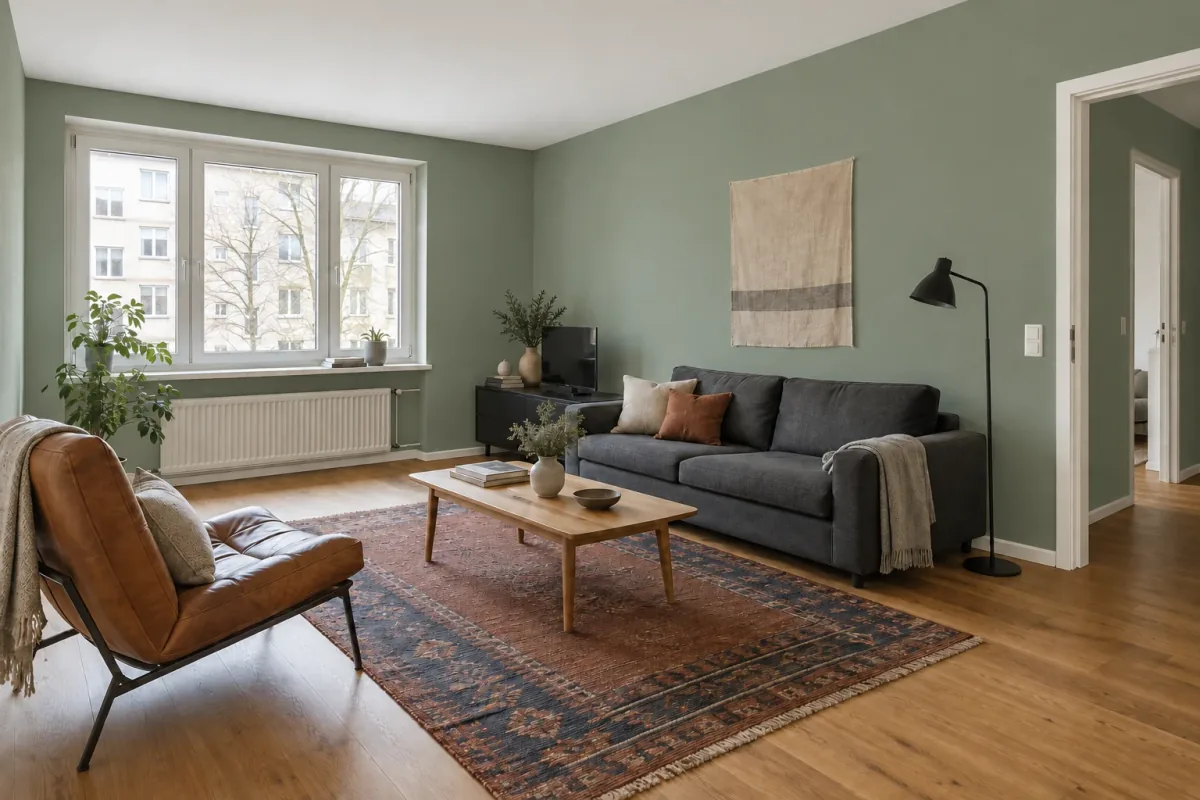
The eucalyptus direction changes every visible wall while leaving the ceiling and trim white. It creates a softer contrast than the dark blue and separates the charcoal sofa from the wall without making it the only focal point. Cognac leather and the rust notes in the rug become warmer by comparison.
Look at the wall near the window and the wall behind the sofa. The green appears brighter beside the daylight and greyer on the longer plane. That variation is useful because real paint also responds to orientation and shadow, but the image does not predict the exact shift of a particular formula. If this direction feels right, your next edit might adjust temperature or saturation—not replace the furniture at the same time.
5. Compare a warm terracotta-clay direction
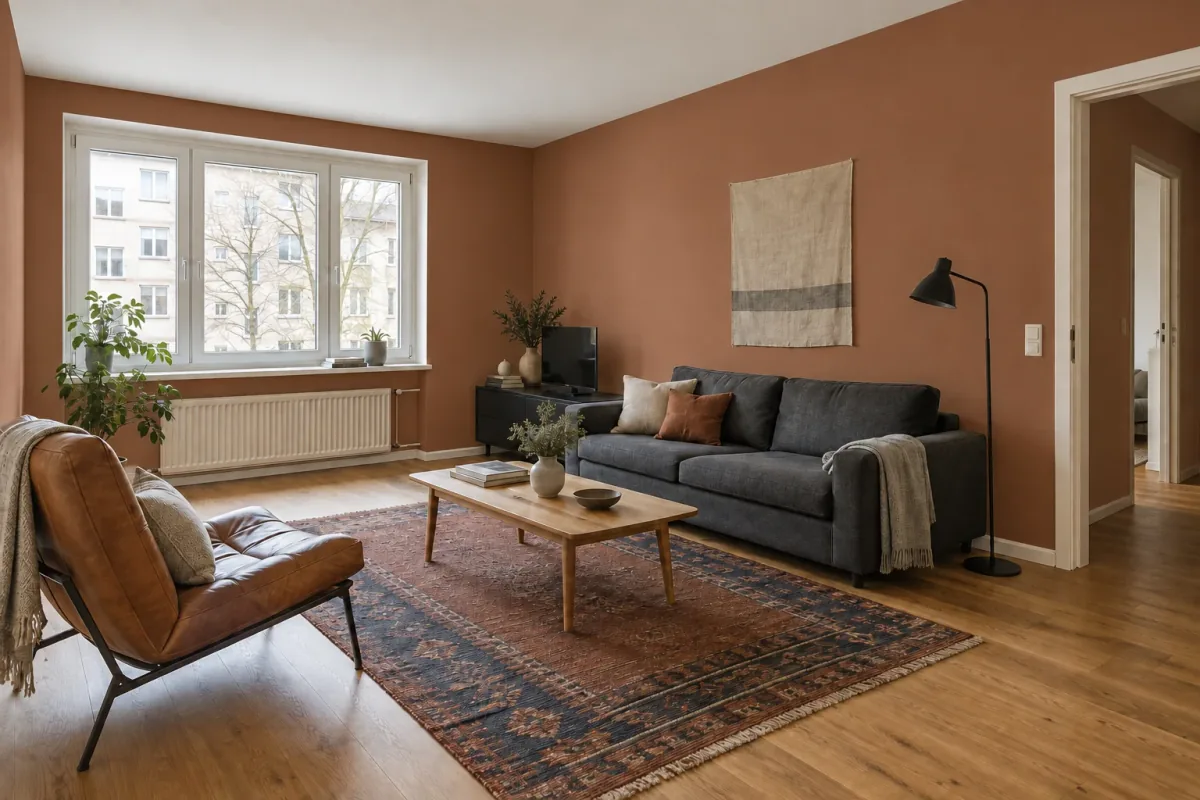
Muted clay makes the walls part of the existing warm palette. It repeats the cognac chair and rug rather than contrasting with them, while the charcoal sofa and black lighting become the darker anchors. This can feel enveloping, but it also reduces the separation between the wall, chair and rust textiles.
The result is medium-depth and earthy rather than bright orange, which was part of the instruction. If your reaction is “too orange,” make that the next request: retain everything and reduce the orange saturation. Avoid switching to an unrelated style description, because the first output has already identified the decision that needs refinement.
6. See what changes with deep ink blue
Ink blue produces the strongest light–dark contrast. White trim outlines the window and doorway, the pale oak table becomes more prominent and the charcoal sofa partially recedes into the long wall. The room feels more enclosed even though its architecture and furniture remain recognizable.
A dark generated wall can look especially polished because the visualization balances exposure across the image. Your physical room may have darker corners at another time of day. If you like the relationship but not the full-room intensity, use this result to test a narrower next question: ink blue only on the sofa wall, with the remaining walls returned to warm white.
7. Compare the room, not three isolated swatches
Place the original and the three edits at the same size. First check that the same surfaces were painted and that ceiling, trim and furniture stayed consistent. Then compare the relationships that matter: wall to sofa, wall to floor, wall to rug and wall to daylight. Name the reason for your preference instead of choosing the most dramatic image.
Review any drift before drawing conclusions. A slight exposure change can make both the wall and furniture appear richer, and a moved accessory can change the balance of a corner. If one result changes more than paint, return to the original source and repeat that color instruction. Generate main options independently so a lighting shift from one edit does not carry into the next.
Questions for a side-by-side review
Use the same short checklist for each direction.
- Is the intended wall area painted, with clean boundaries at ceiling and trim?
- Do the original furniture, floor, openings and camera still match?
- Does the wall support or compete with the largest existing materials?
- What happens on the wall nearest the window versus the deeper corner?
- Is the next decision about hue, depth, saturation or paint scope?
8. Refine one color variable at a time
Choose the closest result as the parent for a focused instruction. If eucalyptus is right but too grey, ask for a slightly clearer, cooler green while retaining every other element. If clay feels too dominant, lower its saturation. If ink blue is appealing but too dark across the full room, change only the sofa wall and explicitly return the other walls to their source color.
Compare the revision with its parent, not only with the original. Generative edits can alter shadows, decor or edges even when the request is narrow. Keep the new result only if it answers the intended color question and any incidental changes remain acceptable for this exploratory stage. Otherwise, restart the revision from the best clean version.
9. Confirm the choice with real paint in the room
Use the visualization to narrow the search to a direction and a small number of real paint products. Obtain the manufacturer’s current color card or sample, check the recommended primer and finish, and apply a movable sample board or a sufficiently large test area. A tiny chip surrounded by the old wall color can be misleading.
Move the sample between the window wall, the main wall and a darker corner. View it in morning, afternoon and evening light, with the lamps you actually use. Check it beside the sofa, flooring and rug. Matte, eggshell and other finishes can reflect light differently, so confirm sheen as well as hue.
The final specification should come from the physical sample and product information, not a screenshot, generated pixel or color picked from the image. Save the preferred concept with a note about what it communicates—“muted green, quiet contrast with charcoal, white trim retained”—so the visual idea remains useful even if the exact paint changes.
Questions about changing wall color in a photo
Can AI show the exact paint color?
No. It can visualize a color direction, but generation, camera processing, lighting and display settings affect the result. Choose the final product from a physical sample viewed in the room.
Can I change just one wall?
Yes. Identify it by a landmark, such as “the long wall behind the sofa,” and explicitly keep every other wall at the source color. Also name the ceiling and trim as unchanged boundaries.
Should I remove furniture before taking the photo?
Keep furniture and materials that will remain after painting because they provide the context for the decision. Remove only temporary clutter that hides the wall or important boundaries.
Why does the same color look different on two walls?
Wall orientation, distance from the window and shadows change its appearance. That variation is useful to inspect, but it is still a generated interpretation rather than a measured prediction.
What if the edit changes my sofa or lighting?
Return to the original photo and repeat the color request with the furniture, camera and daylight listed as elements to preserve. Do not evaluate paint from a result whose surrounding palette changed substantially.