
Professional workflow
Interior Design Client Presentation: A Practical Guide
Build an interior design client presentation around clear decisions, comparable images and useful feedback. Use the outline and decision log.
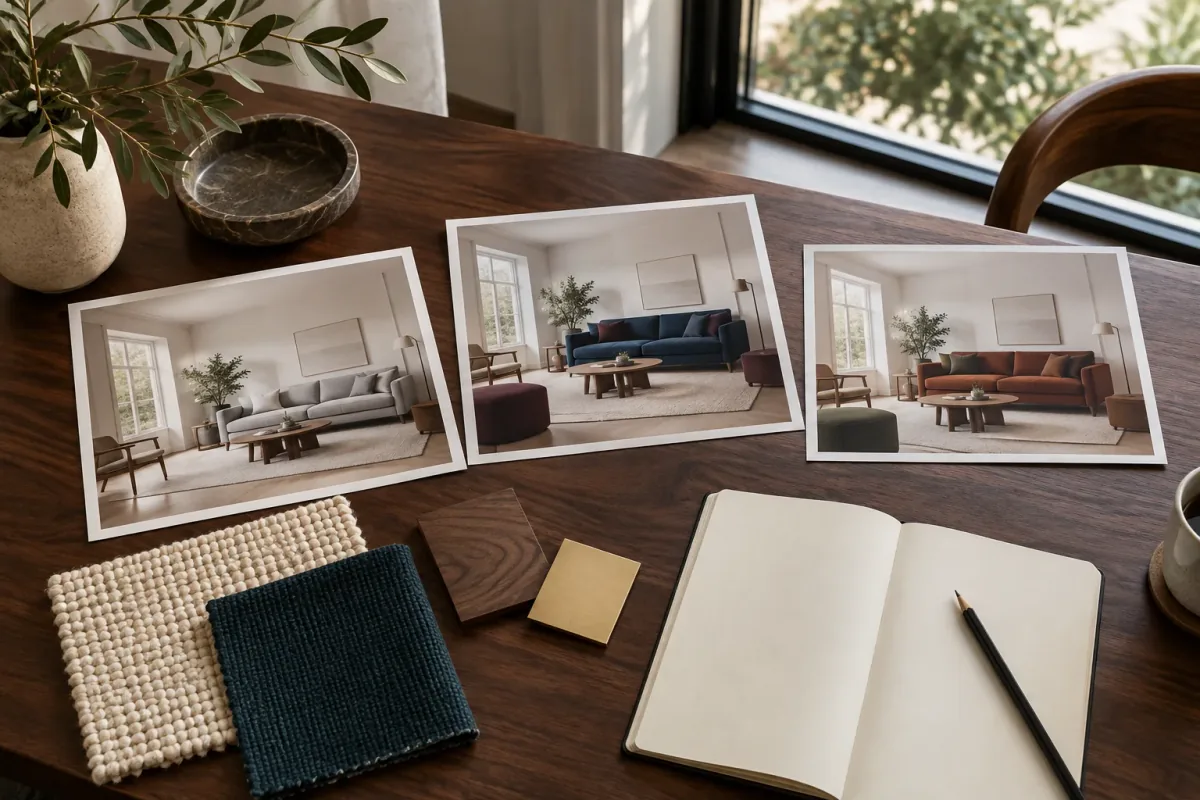
An interior design client presentation should make the next decision easy to understand. State what the meeting needs to resolve, show the relevant room conditions and options, and finish with a written record of what moves forward. Images explain a proposal; the accompanying notes define what the client actually selected.
This guide gives you a reusable presentation outline and a worked decision log for an illustrative living room. It focuses on organizing the review after you have usable concepts. It does not assume that every project needs the same number of slides or that a polished image means a design is ready to order.
Start with the decision the meeting needs to make
Write one sentence before assembling the deck: “Choose a living-room color direction while keeping the existing oak floor and sofa position.” That is specific enough to decide what belongs in the presentation. A kitchen hardware detail or a new furniture layout can wait unless it affects that decision.
Name the stage as well. Selecting a concept direction, reviewing a measured furniture layout and approving a product shortlist are different meetings. If the question is whether furniture fits, show the measured plan and dimensions early. If it is about the visual relationship between colors, start with comparable room images and material references. Let the question determine the order.
Confirm who needs to respond and what information they need. A person reviewing remotely should receive the same decision question and option names as someone in the room. This avoids a second conversation based on screenshots that have lost their context.
Use this six-part presentation outline
Treat each part as a job the presentation must do, not a required slide count. A small room update may combine the brief and existing conditions on one page. A larger project may need several measured views. Include enough information to support the decision without burying it under every image generated during exploration.
Keep each option’s main image at the same size and crop. Put the option name, the proposed change and the open question in live text beside it. Do not rely on tiny labels embedded in the render, especially if the presentation will be read on a phone.
| Part | What to include | Question it answers |
|---|---|---|
| 1. Decision brief | Room, project stage, constraints and requested response | What are we deciding today? |
| 2. Existing conditions | Reference photo and relevant measured information | What has to stay or be accommodated? |
| 3. Comparable options | A clear image and short rationale for each direction | What meaningful alternatives are available? |
| 4. Materials to investigate | Samples or references, with their status identified | Which real finishes need checking? |
| 5. Focused discussion | Keep, change and unresolved notes by element | What should the next revision do? |
| 6. Decision record | Chosen direction, open items, owners and next review | What happens after this meeting? |
A worked example: choose color without reopening the layout
Imagine a living room where the floor, window and main seating position are staying. The brief is to introduce color without making the room feel visually crowded. Prepare a blue-and-burgundy direction and a rust-and-olive direction from the same reference, keeping the furniture arrangement as comparable as possible. These are illustrative alternatives, not results from a recorded client project.
Give each direction a sentence that explains its purpose. Blue and burgundy separates a dark seating group from pale textiles; rust and olive connects the seating to an earthier palette. Avoid naming one “premium” or “recommended” before explaining the tradeoff. You want feedback about the proposal, not just agreement with its label.
For every concept, check the window, furniture footprints and access routes against the starting image and the measured design. If AI has moved a chair or altered the room, either replace that concept or mark the discrepancy. A client should not have to infer whether a moved object is a deliberate proposal.
Give every visual a clear status
Distinguish the current room, a generated concept, an inspiration reference and a shortlisted product. Those four images may sit on the same page, but they do different work. The existing room establishes context; the concept explores a direction; the reference explains a quality; and the product image points to something that may actually be purchased.
Use short captions such as “AI-generated concept: palette only” or “Fabric sample: awaiting in-room review.” Do not label a concept sofa with a real product name unless you have separately established what is being represented. A generated silhouette may resemble a catalog item without matching its dimensions or construction.
Pair the room view with a small number of relevant physical samples when available. If a material has not been selected, say so. The presentation can still communicate warm wood, matte metal or a deeper blue without implying that a supplier, finish code and price have already been agreed.
Translate reactions into changes you can make
Invite an initial reaction, then ask what in the image produces it. “Too busy” might refer to the rug pattern, the number of accessories or the contrast between sofa and curtains. Ask the client to identify the element before translating the comment into an editing instruction.
In the living-room example, suppose the client prefers the blue sofa but finds the burgundy accents distracting. Record the sofa as something to keep and the accent color as something to revise. Do not also change the wall finish, camera and coffee table unless those changes have a separate reason.
Keep conflicting comments visible. If one person wants darker textiles and another wants a brighter room, do not average them into a vague prompt. Clarify whether the disagreement is about color, daylight or the amount of contrast. Sometimes the next useful step is looking at fabric samples together.
Three questions to use during the review
Ask the same questions for each option so the notes remain comparable.
- Keep: which element supports the brief and should stay in the next version?
- Change: which visible element should be different, and in what way?
- Unresolved: what needs a sample, measurement or supplier answer before deciding?
Make the next image answer the recorded feedback
In Vizterior, select the intended previous result as the base for the next edit. Match that image to the option named in your notes. Using the most recently generated image by default can carry an unselected direction into the revision.
The example instruction below isolates an accent-color change. It is a reusable prompt, not the prompt used to create this article’s editorial hero. Adapt the named objects to what is actually visible in your concept. After generation, compare both the requested change and the rest of the room before adding the output to the presentation.
Download the reviewed images and assemble the presentation in your usual slide or document tool. Keep the decision log with that presentation. The workflow described here uses Vizterior for concept generation and revisions; it does not assume a built-in slide exporter, shared client review board or approval system.
Finish with a decision log someone else can read
Record selections by element rather than writing “Option A approved.” A client may prefer the sofa palette while still questioning the rug and chair size. A blanket approval note hides that distinction and makes the next round harder to interpret.
The table below is a fictional example you can adapt. In a real project, replace the roles with names, add agreed dates and identify the exact image version. Keep direction selection separate from product ordering: an image chosen for mood does not by itself confirm a particular product or quantity.
| Element | Review outcome | Next action | Owner |
|---|---|---|---|
| Blue sofa palette | Carry forward as the preferred direction | Compare physical upholstery samples | Designer |
| Burgundy accents | Revise before the next review | Show muted blue-grey on the selected base | Designer |
| Rug | Pale direction preferred; product undecided | Shortlist real rugs in the required size | Designer |
| Accent chair | Not resolved by the concept image | Check footprint against the measured layout | Designer |
| Next review | Confirm revised accents and sample choices | Agree a date and gather responses | Client and designer |
Send a small, self-contained review package
Export a readable PDF or use your normal presentation format. Put the decision brief near the beginning, maintain stable option names and include the decision log at the end. If the original photograph is needed to understand the proposal, include it rather than expecting the client to find an earlier email.
Write a narrow request with an agreed response date: confirm the revised accent direction and identify which of the two fabric samples to inspect in the room. List questions that remain with the designer or supplier separately. This makes it possible to respond without treating every visible object as a new decision.
Keep the reviewed version alongside its source images. If the direction changes later, you can compare it with the actual choice that led to it. A useful presentation leaves a traceable next step, even when the outcome is “we need a measurement before deciding.”
Questions about presenting interior design concepts
How many options should an interior design presentation include?
Use enough options to show the meaningful tradeoff in the brief. Two can be sufficient for a light-versus-dark decision; a third is useful if it represents a different approach. There is no fixed count that fits every project stage.
Should I show the floor plan before the render?
Use the order that supports the decision. For layout, access or furniture fit, measured information may need to come first. For color and mood, a room view can provide the opening context. Keep both connected where the proposal depends on them.
Can an AI room image be used in a client presentation?
Yes, when it is identified as a generated concept and checked against the brief. Explain what the image is being used to decide. Confirm actual dimensions, products and installation details through the project’s measured and supplier documentation.
What should I do if the client wants parts of two options?
Record the requested elements individually and choose the closest existing concept as the next base. Make a focused revision, then check the combined result. The preference for two separate elements does not establish that the combination will work unchanged.