
Rendering guides
Interior Rendering Styles: Choose the Right View
Compare sketch, clay and photoreal interior rendering styles in one room. See what each view explains, with prompts and a practical review checklist.
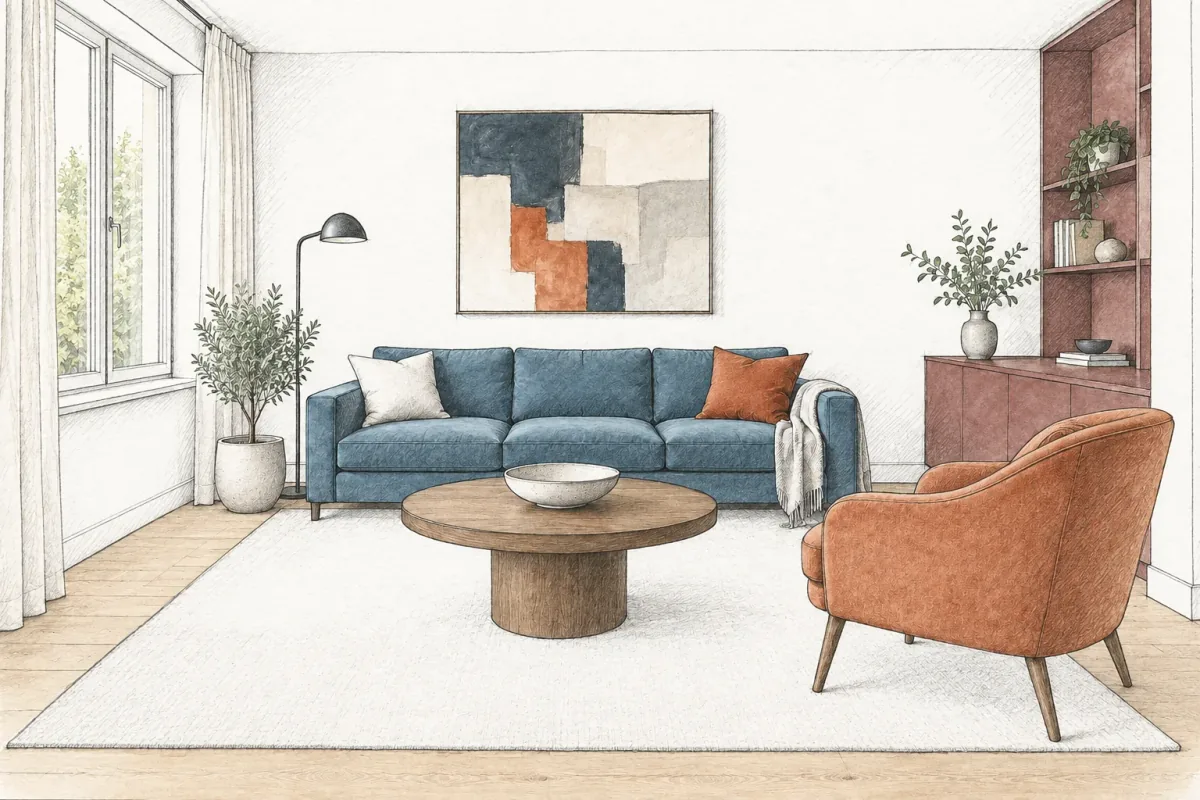
Interior rendering styles describe how a room is represented: a drawn perspective, a neutral clay study or a realistic image with color, texture and light. Choose the style according to the question you need the image to answer. A clay view can make furniture forms easier to discuss; a realistic view is more useful for comparing the visual relationship between finishes.
This guide shows three representations of one living-room concept. The furniture arrangement is intended to remain comparable while the drawing language changes. These are synthetic editorial examples, not a measured model, a completed project or a benchmark of app performance.
Rendering style and interior design style are different choices
Japandi, mid-century and contemporary describe a direction for the interior itself: its furniture, finishes, shapes and decorative choices. Sketch, clay and photoreal describe the way that design is shown. A contemporary living room can be presented in any of those visual languages without deliberately replacing its sofa or changing its palette.
This distinction helps you write a focused brief. If the room design is already useful, ask to change its representation and name the elements that should stay. Asking for a new interior style instead may trigger different furniture, lighting and decoration, making the result a redesign rather than another view of the proposal.
Model-based tools also separate these choices. SketchUp’s official style guide describes controls for edges, faces and backgrounds, including drawn-looking edges. Chaos describes Enscape’s White Mode as a way to direct attention toward architecture rather than material color. Links to those primary references are included below; the examples here use image generation instead of either tool.
Start with one readable reference
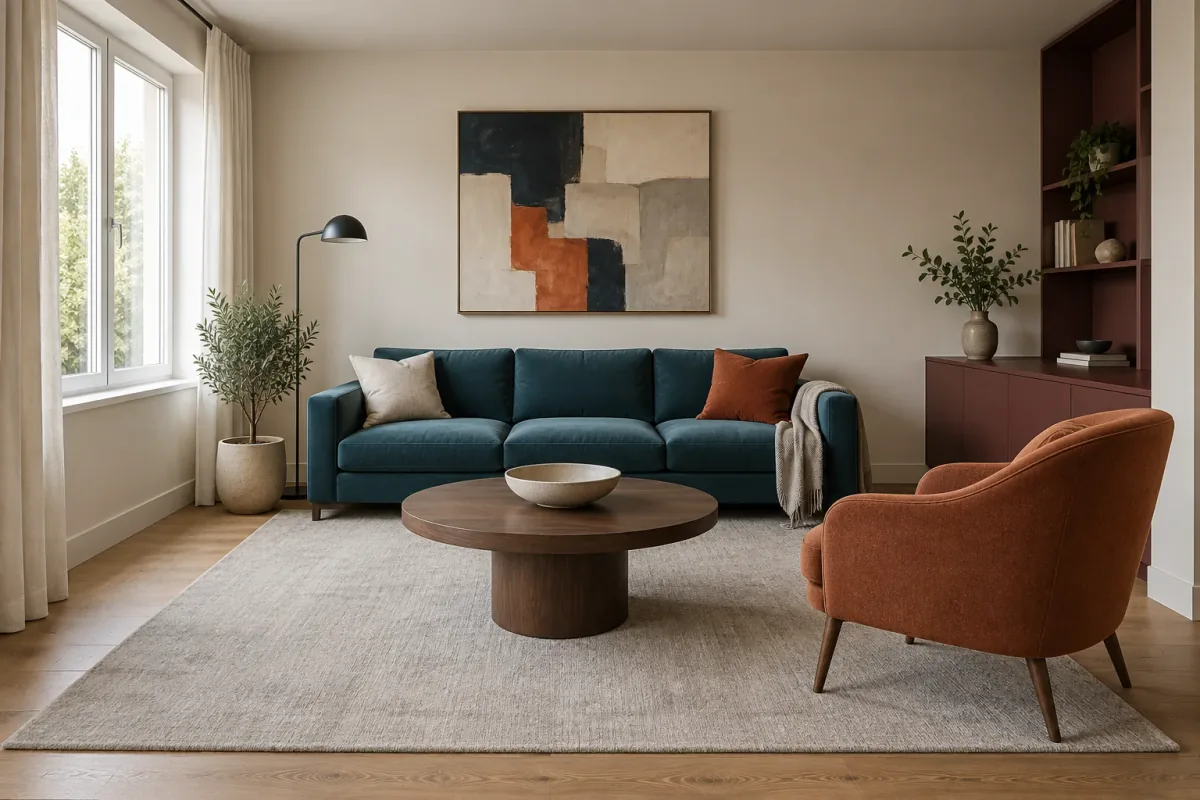
Our reference room has a petrol-blue sofa, terracotta chair, round walnut-toned table, pale rug and burgundy storage. The window, artwork, floor lamp and shelving provide recognizable landmarks. Both restyled images were generated independently from this full-color reference, so neither inherits simplifications from the other.
Choose a source where object boundaries are easy to see. Strong blur, deep shadows or a heavily cropped chair leave more room for the generator to invent an outline. If a particular join, cabinet division or window detail matters, make sure it is readable in the source and check it in every output.
The source image is also the place to establish your intended design. Converting a rough, incomplete sketch into a realistic image asks the model to invent missing materials and details. Restyling an already readable concept asks a narrower question, though it still cannot guarantee identical geometry.
A sketch view explains the idea with less material detail
Ink-and-wash combines visible contour lines with lighter areas of color. In this example, the blue sofa and terracotta chair remain recognizable, but the white wall and pale rug carry less texture than in the full-color reference. The room reads as a drawn proposal rather than an attempt to photograph a finished installation.
Use this representation when you want to discuss the broad composition and palette without making every fabric texture the center of attention. Point to the relationship you want reviewed: the weight of the chair in the foreground, the contrast between sofa and wall, or the balance of the cabinet and window. A drawing does not automatically make those decisions clearer; your question still needs to be explicit.
The sketch retains plenty of detail in the artwork, plants and upholstery, despite the request to simplify. Its pencil-like shading also makes surfaces appear lighter. Treat that as part of this particular output, rather than claiming that every sketch style removes the same information.
A clay study makes form and overlap more visible
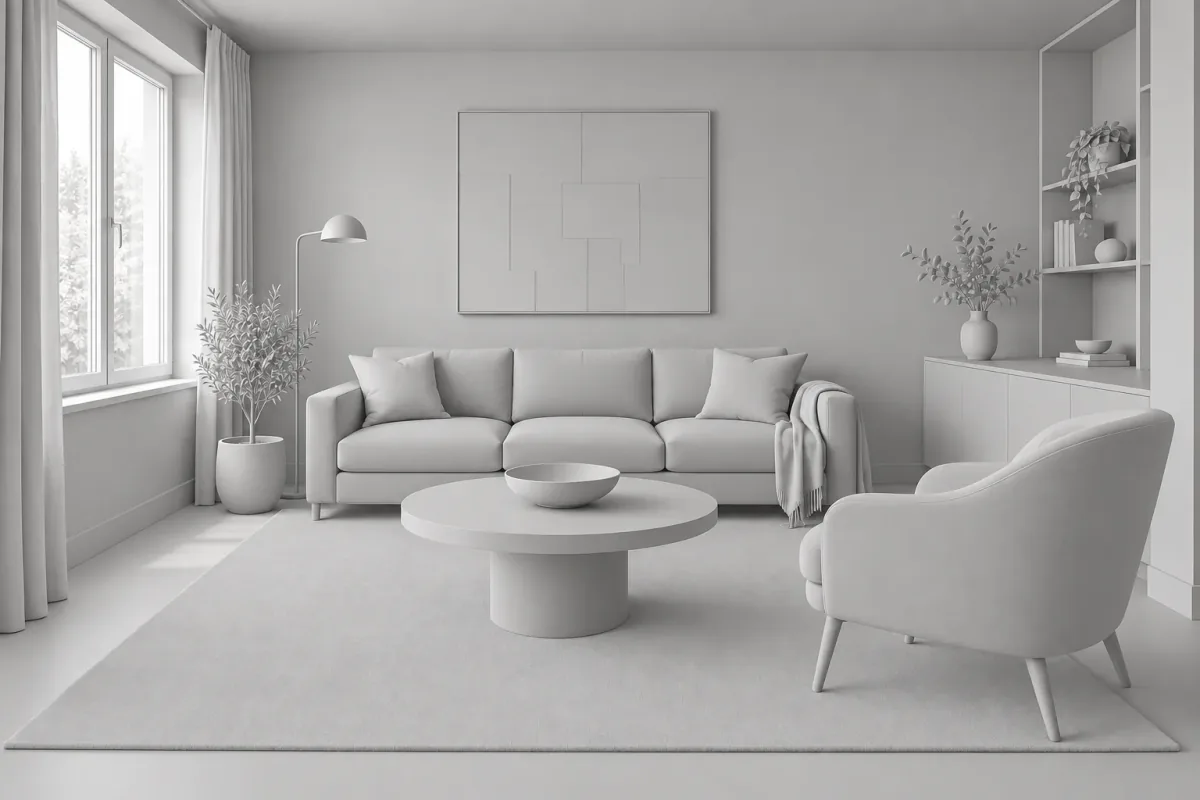
A clay-style view replaces the material palette with a largely uniform neutral surface. Light and shadow describe the objects instead of blue upholstery, warm timber or burgundy cabinetry. Look at how the table overlaps the sofa and how much of the cabinet sits behind the chair: these relationships become easier to discuss without debating color at the same time.
This is useful for a visual review of the composition, particularly when a strong palette keeps drawing the conversation away from furniture forms. It does not prove that the arrangement fits. Chair clearances, circulation and cabinet access still need to be checked against the measured layout.
Our generated version is closer to a pale white-model study than a dark clay render. It keeps some upholstery and rug texture, and turns the artwork’s color blocks into faint relief-like lines. Those lines should not be interpreted as a proposed three-dimensional artwork. Removing color can introduce a different kind of ambiguity.
A realistic view puts the finishes back into context
Return to the full-color reference when the question is how materials relate. Here the terracotta chair repeats a warm note in the artwork, the walnut-toned table sits against the pale rug, and the blue sofa contrasts with both. Those relationships are largely absent from the neutral study.
A realistic representation can also help communicate the intended atmosphere. Ask whether the palette feels too dark, whether the table competes with the floor, or whether a textile needs to be quieter. If the decision is only about one finish, make that the next edit and retain the rest of the image.
Realism is an appearance, not a record of verified products or measured light. A convincing image may invent fabric structure, wood grain or reflections. Use it to discuss a direction, then confirm actual finishes with samples and actual furniture with product dimensions. Rendering from a controlled model provides a different basis for geometry, but its material inputs also need to be accurate.
Match the representation to the next question
You do not need to show every style in every meeting. Choose one primary image for the decision and add a second when it reveals something the first obscures. For example, a neutral view can accompany a colorful concept when you need to discuss the shape of a chair separately from its upholstery.
The table is a practical editorial guide, not a rule about project stages. A sketch may remain useful late in a project, and a realistic image may help an early conversation. What matters is whether the image makes the unresolved question easier to see.
| Question | Useful view | Bring alongside it |
|---|---|---|
| How does the overall composition read? | Sketch or neutral clay study | The reference room and the design brief |
| Are we reacting to the shape or the color? | Clay study beside the color concept | A note identifying the disputed element |
| Which material relationship do we prefer? | Comparable realistic views | Physical finish samples |
| Does the chair fit or block access? | Measured plan with a supporting room view | Actual dimensions and site information |
| What should the client decide next? | The view that exposes that decision | A short record of selections and open items |
Check the same landmarks in all three images
Before presenting the set, compare the window divisions, the sofa arms, the chair legs, the table outline and the cabinet shelves. A rendering style change can also alter an object or merge two overlapping edges. The more abstract the style, the easier it is to overlook that drift.
In this set the room arrangement remains visually comparable, but the treatment is not pixel-identical. The clay image suppresses the floor grain and softens the textile surfaces. The drawn version strengthens contours and simplifies shading. Those are useful representation changes; a moved wall or missing cabinet would need separate attention.
If a changed landmark affects the decision, return to the reference and regenerate that style with a more specific constraint. For geometry that must remain exact across several views, work from a verified model and its native display or rendering controls rather than relying on image restyling.
A short review checklist
Read the images at the same size before exporting them.
- Is the camera framing comparable, with the same window and room boundaries?
- Are the intended furniture silhouettes, legs and overlaps still recognizable?
- Has the style added relief, texture or linework that could be mistaken for a design feature?
- Does the selected view expose the question the client needs to answer?
- Is each generated image clearly identified as a concept?
Keep representation changes separate from design revisions
Save the full-color reference alongside its derived views. Name the images by their purpose, such as composition sketch, neutral form study and material concept. When feedback changes the design itself, revise the source and create the needed presentation views again. Editing only the sketch would leave the other images describing an older proposal.
In Vizterior, use the relevant room image or selected previous result as the base for a focused instruction. The prompts above describe image-editing requests, not built-in style presets, and their results will vary. The illustrations here were made separately for the article and should not be read as demonstrations of a particular app model.
Download the reviewed images into your usual presentation tool and keep the question beside each one. If you already have a SketchUp model, its native styles may be the more direct route to a repeatable drawn view. Choose the method that matches the source material and the level of control your project needs.
Interior rendering style questions
Is clay rendering the same as changing the room to grey?
A clay study neutralizes the visible materials to emphasize form and shading. It is a representation choice, not a proposal to install grey walls and furniture. Label it clearly so the viewer does not treat it as a finish palette.
Can I turn a realistic interior image into a sketch?
Image editing can reinterpret it as a drawn perspective. Specify the drawing medium and the elements that should remain consistent, then inspect the output. It is not equivalent to generating a line drawing from measured model geometry.
Which rendering style is best for client presentations?
Use the one that helps the client answer the current question. A realistic view supports a palette discussion; a neutral study can isolate form; a sketch can summarize a concept. Include measured information whenever the decision depends on size or fit.
Does a photorealistic rendering mean the design is ready to build?
No. Image realism does not establish dimensions, available products, construction details or accurate lighting. Those decisions belong in the project documentation and specification.